kwi
20
Od dziś do niedzieli w wybranych salonach Play będziecie mogli wziąć udział w Dniach Otwartych Play
- Warszawa – Złote Tarasy (12:30 – 20:30)
- Warszawa – Promenada (12:00 – 20:00)
- Kraków – Bonarka (12:00 – 20:00)
Co będzie się działo na miejscu?
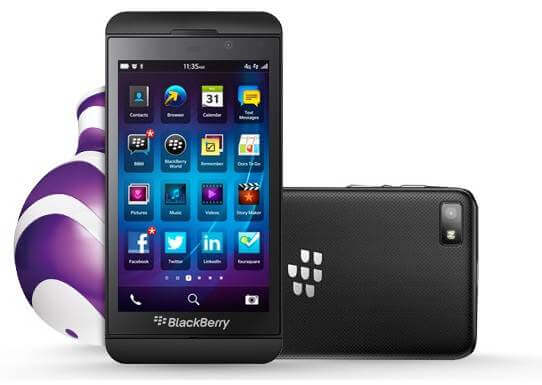
- Będziecie mogli pomacać i pobawić się BlackBerry Z10
- Na miejscu odbędzie się turniej gry Beach Buggy – najlepszy wynik uzyskany przez 3 dni łącznie we wszystkich 3 sklepach zostanie nagrodzony telefonem BlackBerry Curve 9320
- Dla aktywnych gości przewidziane są gadżety

Jeśli zastanawiacie się nad zakupem telefonu BlackBerry – szczególnie modelu Z10, to na pewno jest świetna okazja, by dać się przekonać na miejscu przez specjalistów z firmy BlackBerry

Tags: None
kwi
20
Powinien być piątek piąteczek, ale …
Proszę mi wybaczyć, Pani Małgorzato, ale ja naprawdę nie chcę prowadzić kolejnej polemiki, przepychanki na wpisy, czy pyskówki rzeczników. Nikomu to specjalnie nie służy i w niczym nie pomaga.
Uważam, że byłoby to bardzo nie fair w stosunku do Pani. Ktoś kto Pani przygotował te wszystkie liczby wprowadził Panią w błąd, albo celowo nie powiedział Pani całej prawdy. Pani stanowisko w zasadzie nie odnosi się wcale do meritum sprawy, czyli faktu, że, mimo spadających stawek MTR do PTC utrzymywało i utrzymuje horrendalnie wysokie stawki połączeń do PLAY o czym piszemy na stronie dowszystkichrowno.pl
Bardzo podoba mi się to co Pani napisała o komunikacji opartej wyłącznie na potwierdzonych i prawdziwych danych. Bardzo chętnie skorygujemy nasze założenia, jeżeli poda mi Pani potwierdzone i prawdziwe dane dotyczące marży PTC na połączeniach do PLAY w poszczególnych okresach czasu.
Ja wiem, że to jest już niemodne i wręcz kontrowersyjne, ale zachowam się jak gentelman i zaproponuję inne bardziej fair rozwiązanie.
Co Pani powie na debatę przed kamerą na żywo? W starym dobrym MTV był kiedyś taki program Celebrity Deathmatch. Może zrobimy coś takiego z humorem, ale i z bardzo dokładnymi liczbami. Może przed kamerą Telepolis, na żywo?
Ale proszę się bardzo dobrze przygotować. Proszę prześledzić całą historię PTC i całą przygodę tej sieci z MTRami i wpływami z asymetrii. Zapytam o to 
Proszę przygotować się do odpowiedzi na temat kosztów i okoliczności pozyskania każdej częstotliwości przez PTC. Muszę o to zapytać
Proszę sprawdzić stanowisko PLAY w sprawie stawek asymetrii bardzo dokładnie. Zapytam o to
Ze swojej strony bardzo chętnie odpowiem na każde Pani pytanie.
Jeżeli przekona mnie Pani podczas debaty swoimi argumentami, zwrócę z procentem te 123 złote.
Na koniec chciałem pogratulować bardzo fajnej kampanii na Facebooku. Cieszę się, że nasza kampania podoba się nie tylko klientom, ale również inspiruje tak bardzo naszą konkurencję
Pozwoliłem sobie wykorzystać jej fragment bez zgody autora za co proszę nie ścigać mnie po sądach. Nie mam żadnych złych intencji.
My tu gadu, gadu a licznik bije…
PS: Uprasza się redakcje kopiujące mój wpis o kompletne cytowanie.

Tags: None
kwi
20

The amazing social news site Reddit bills itself as the front page of the internet, and if you’ve ever spent any time there you’ll know why. There really is something for everyone, whether you’re into memes, music or minecraft or any of the thousands of other interests showcased and discussed. Happily for us there’s also a thriving Windows Phone community with subreddits, Windows Phone, Lumia Lovers and Nokia, sharing news, reviews and much, much more.
These guys and gals really are some of the most clued up on the interwebs, so if they recommend something you know it’s worth a look. With this in mind, we’ve scoured their discussion threads for their recommended apps on a subject we all love, smartphone photography.
ProShot
With an app like ProShot, you can kiss your DSLR goodbye: this little beauty is a shutterbug’s delight. It gives you super control over all the settings you’ll need to take shots like a pro—white-balance, ISO, exposure compensation, flash, focus, grid-displays—and its custom mode lets you save your favourite setup for easy access.

PhotoBeamer
PhotoBeamer is one of the more space-age creations in our portfolio: a slideshow app that lets you display your photos on any web-enabled device. You load the PhotoBeamer website on the second device and it’ll display a QR code; then you scan that code with your phone and the two devices link up. Massively handy for sharing all those holiday pics with mum and dad!

Photosynth
This is the panorama app you’ve been waiting for. It pops up as a lens within your camera app; you tap the screen to select your first frame, move your phone up, down or around, and tap again to end. Then bingo, the app will stitch all the shots together into one seamless panorama. The best bit, though, for travel photographers, is you can geo-tag the results and upload them as interactive images to Bing maps.

Fhotoroom
Fhotoroom is an impressively comprehensive image editing package, just in case you haven’t quite nailed the shot with ProShot. It’s got all the usual tools you’d expect from a desktop programme, allowing you to adjust saturation, exposure, red-eye, light leakage and more (especially if you go for the pro upgrade). You can also frame and style your pics with various Instagram-like effects. A lot of bang for your buck with this one!

Blink
This is pretty basic, very easy, and very sweet: Blink takes a lot of photos, really fast, so you don’t need to ever worry about missing that crucial shot. It even records frames before and after you hit the shutter release. Magic, right? Just select the best of the bunch afterwards. Perfect for those with wriggly toddlers…

Phototastic
Phototastic lets you add effects to your photos (colours, vignettes, brightness, vintage appearances, etc), but, most importantly, it also lets you create collages of your pics. There’s a bunch of handy templates to help you arrange your shots, and, afterwards, you can upload the results to your social media accounts. Perfect for showcasing those unforgettable occasions!

Fantasia painter free
Another photo-editing app, but Fantasia Painter one’s designed for budding artists. It’s got all the filters, colours, shapes and text tools you could ask for, and the range of brushes and fonts is great. The free version is just as good as the paid one, as long as you don’t mind ads. We don’t!

CameraPro
Like ProShot, this is another ace photo-taking app, and we think it’s a toss-up which is better… ProShot is a little more user-friendly, while Camera-Pro has a couple of added features, but they’re both all-round brilliant. We especially thought the self-timer and time-lapse options were great value for money.

Creative studio
An exclusive for Nokia Lumia users, Creative Studio is a photo-editing app that lets you do the usual in-phone fixing and trimming. A nice feature here is that the app keep the pics at their original resolution, so there’s no sneaky compression going on behind the scenes. You can access it from the Lumia’s native camera app (hit ‘edit’), and it’ll always retain your original image as well as the jazzed-up version. Quick and easy (you don’t need a degree in Photoshop to operate it), and, most important, free.

Lomogram
Thanks to more than 40 filters, Lomogram can make any photo look fantastic. With a ton of effects, light effects and borders, you can make an infinite range of original looks. Add to that auto-vignetting and brightness, contrast saturation, exposure adjustments and easy to share features, and you’ve got one of the best Windows Phones photo apps out there.
 Ten cracking photos apps that will give you plenty to play around with. But are there any others you think warrant a mention? Earn some comment karma, by sharing your thoughts down below.

Tags: None
kwi
20
I spend loads of my spare time chatting to friends on social networks, usually using Facebook.
There’s a whole world of different social networking apps out there for your Nokia Asha though, making it easier to keep in touch, to enjoy instant messaging on the move, and to make things easier for Nokia owners. That’s why I’ve been checking out some of the other options on my Nokia Asha 308.

Sign in is one of the easiest apps you’ll find, but it’s also one that offers less functionality than the others I’ve tried. It’s still a useful tool to have on your Asha though, effectively acting like a giant bookmark for social networking sites.
The app is capable of launching everything from Facebook, Gmail, Twitter and eBuddy, to MySpace, Bebo, Friendster and Flickr. If you tend to use lots of different social networks, then Sign In is a worthy download.

Imsy can take a little while to get to grips with; there are lots of options, and it’s certainly not the most intuitive. Once you do get the hang of it though, it’s a great app for posting updates across different platforms. You can post to Facebook, Twitter, LinkedIn, or you can also use the app as a type of RSS reader, getting the latest news from sites like the BBC.
Updates will appear in the messages section, with the page split up into different parts for different sources. It’s all easy to read and use once you get the hang of it, you just need the patience to stick around and enjoy it.

Yahoo! Messenger does exactly what it says on the tin, letting you access your Yahoo! account and chat to friends on the move. The app is easy to use, and it’s simple to send instant messages to friends who also have Yahoo! accounts.
It’s a lot easier to get to grips with than alternatives like Imsy, but then again it doesn’t offer a lot of the same features. If you want a simple app for chatting on Yahoo! though, this is the ideal solution.

The first thing you’ll notice about MXit is that you have to register to use the app. This includes a unique username, password, pincode and can take a few minutes to set up. Once you’ve done that, you can invite other friends to join you and chat using MXit, or you can also catch up with friends by adding your Yahoo!, MSN and Facebook accounts to the app.
You can upload photographs for your friends to see, and you can also add feeds from other sources. It’s a comprehensive app, but with so many options it can be a little baffling at times.

Nimbuzz is another app that requires you to spend a little time setting it up first. That’s because Nimbuzz is intended as a stand-alone instant messaging app, where you set up your own Nimbuzz account and ask your friends to join you. Along with instant messaging, you’ll also be able to join chatrooms, talking to people from around the world.
It’s a shame you can’t include Facebook or Twitter contacts in the messages, as it’s a really easy app to use. Everything is sensibly laid out, works quickly and effectively, and if all my friends weren’t already committed to other social networks I could happily use it more often.
Twitter for Nokia

There are a number of third-party solutions for the Nokia Asha, but you can also use the integrated Twitter app to stay in touch with your friends, family and followers. You can tweet with the app, discover trends, and even send direct messages. Everything is intuitive to use – as you’d expect from a Nokia-designed app – and it’s one of the most fluid social networking apps out there.

Tags: None
kwi
20

Thanks to NFC technology, some of the latest Nokia Lumia smartphones have the ability to connect to other NFC-enabled real-world objects, such as posters, Nokia accessories and also other smartphones by just tapping your phone against the other object.
Nokia NFC Writer is an app that enables you to create your own tags, from opening a webpage to launching system apps.
Download Nokia NFC Writer
- Press the Search button on your Nokia Lumia and then tap Vision
- Scan the QR code
- Tap on the link when it appears on the screen
- Install the application from the Windows Phone Store
To begin with you’ll need some NFC-enabled tags, something we explored in another article at the beginning of the year.
Now, with NFC tags in hand, you can begin to explore Nokia NFC Writer.
As far as programming goes, Nokia NFC Writer couldn’t be any simpler as all the hard work is done for you in the app. If you want to compose an NFC tag, just press Compose from the opening screen.
From there, you’ve got six panels split into categories, with 33 pre-programmed. Slide from left to right to explore what’s available and to find the tag you want to write.
For example, if you want to create a tag for checking-in to a venue on Foursquare, head to the Social panel and select Foursquare check-in. Nokia NFC Writer will then search Foursquare for any local venues using your phone’s GPS. If you want to create a tag for somewhere else, hit the Search icon at the bottom and perform the search.
 Creating this tag might be ideal if you own a business and want to encourage people to share your location. Create the tag and place it at the cashier’s desk, or on the front door.
Alternatively, if you want to just add a map location to a tag, and not a Foursquare venue, you can use the Location + Web panel, and the Location on a map option to do that.
That’s also the same place you can find the option to create a tag to navigate a tag-user to a website, using the Open webpage option.
Here’s another good idea for those music-lovers. Find the Apps panel and tap on System apps. From here, create a tag for Nokia Music and place that tag onto of your Nokia JBL PowerUp or PlayUp speakers. The next time you want to pump up the volume and listen to some music, you’re a few clicks closer and quicker than before.
Or, create a Nokia Drive NFC tag to stick on your dashboard to launch immediately into Nokia Drive, much like the Nokia Wireless Charging Car Holder – although, without the wireless charging element, of course.


Under the Settings panel, there’s a load of options available, such as: Settings, Office, Wi-Fi, or Flight mode. If you’re a regular overseas traveller, you may want to create a Flight Mode tag and place it your suitcase for easy activation the next time you hop on a aeroplane.
While these wonderful app launch tags are convenient, there’s still the simple option to share contact information with people using a NFC tag. The Share contact option in the Contact panel will enable you to pick a contact from the contacts list from your People hub. It’s also the same place you can create tags to Make a call, Send email, and Send text messages, if you have a need for that.
Creating NFC tags for all those little repetitive tasks in life is now easy, thanks to Nokia NFC Writer on your Nokia Lumia 920, Lumia 620, Lumia 820 (with NFC-enabled shell) and other NFC-enabled Nokia Lumia smartphones.
Try it today and let us know which tags and how you’re using them, in the comments section below.

Tags: None
kwi
20

Last week we ran an informal poll asking you which of the different lock screen features you valued the most.
It’s something that is particularly pertinent because of the enhanced lock screen options that were introduced on Windows Phone 8.
We gave you a choice of three different options and this is how you voted:

As you can see more than half of the people who voted said that they valued the notifications more than anything else.
I think the most surprising result is that setting the background image also seemed to be far more valuable to most people than setting a passcode! Maybe too many of us (myself included) are being too lax about our smartphone security?
Here’s a selection of the comments that were left on the original post.
notification is the most important thing on lock screen, the immediate weather report on lock screen, calendar, email and any msg apps is a must
I know my wife loves the bing wallpapers on Lumia 920 that change everyday! And she uses a pass code. I myself have picture I took with my camera as a background and also use a passcode. I guess we value both the security and customization the same.
I like that you can still control any music playing in the background from the lock screen and how you can adjust your settings to have your phone ask you for a passcode once for a period of time it has been locked.. i have my lumia 820 on every 30mins.
Thanks for all the comments and for taking part in our informal poll.

Tags: None
kwi
19
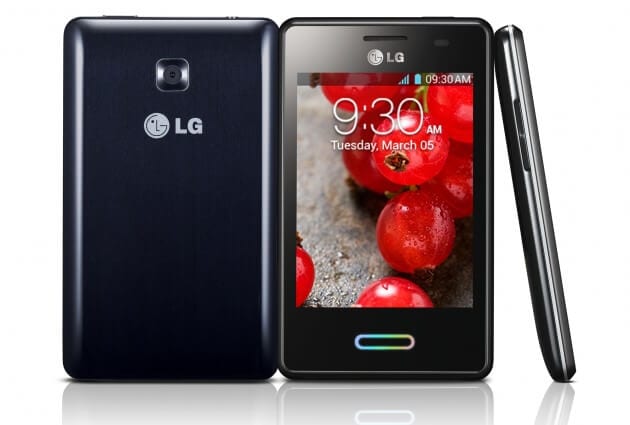
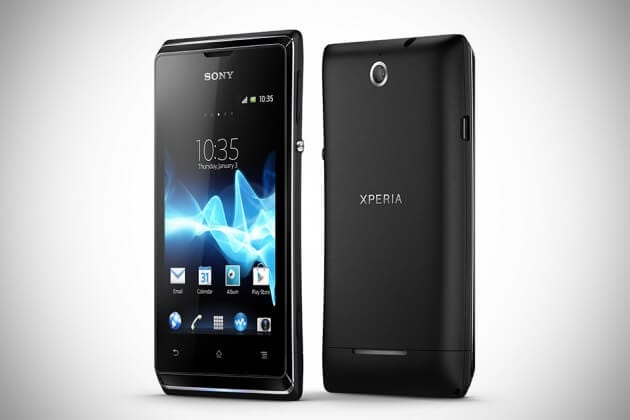
Od jutra dwa nowe telefony w ofercie
LG Swift L3 II
Sony Xperia E
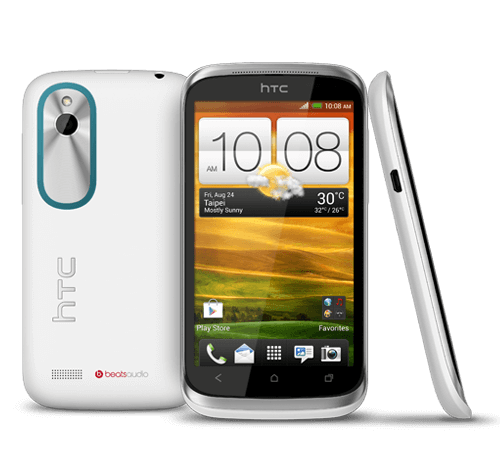
Dodatkowo zmieniamy ceny następujących modeli:
HTC Desire X
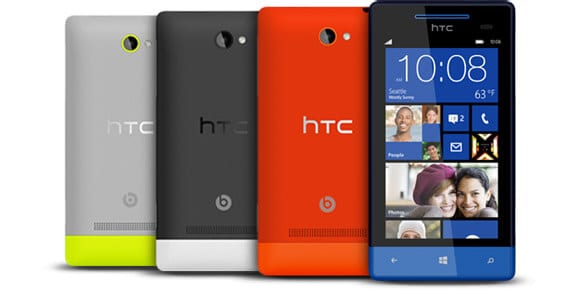
HTC Windows Phone 8S by HTC
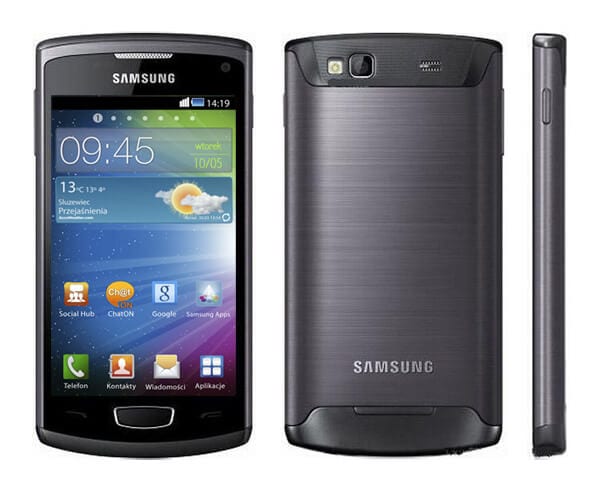
Samsung S8600 Wave III
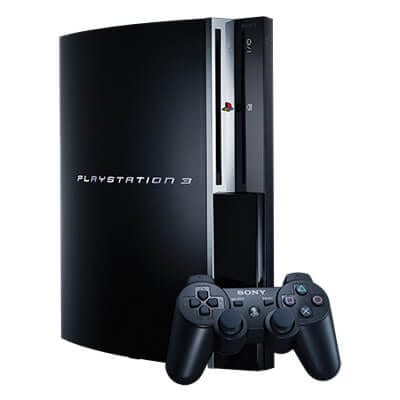
Sony PlayStation 3
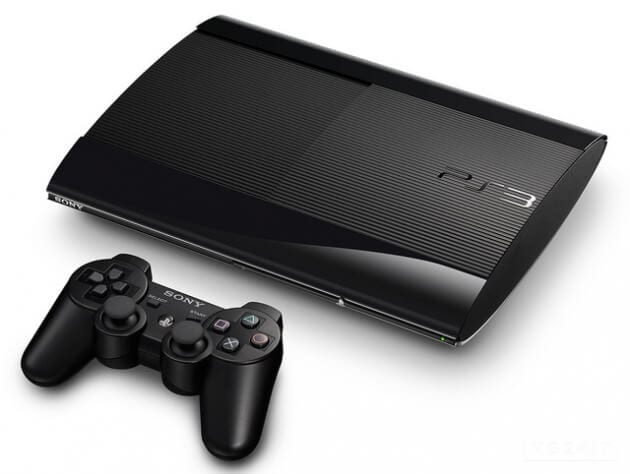
PS3 Super Slim 12GB
PS3 Super Slim 12GB Wonderbook
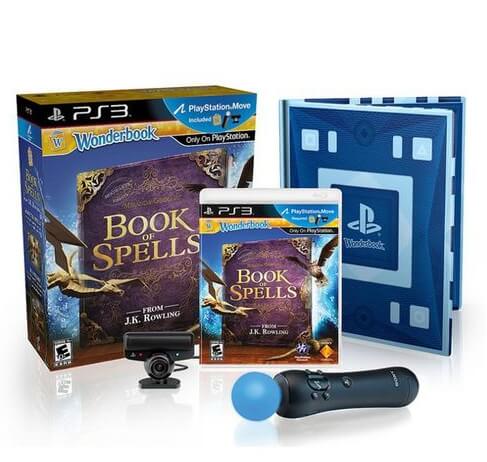
Szczegóły jak zwykle w cenniku. Oraz w cenniku dla Firm.

Tags: None
kwi
19
W końcu możemy się oficjalnie pochwalić!


Tags: None
kwi
19
Od jutra dwa nowe telefony w ofercie
LG Swift L3 II
Sony Xperia E
Dodatkowo zmieniamy ceny następujących modeli:
HTC Desire X
HTC Windows Phone 8S by HTC
Samsung S8600 Wave III
Sony PlayStation 3
PS3 Super Slim 12GB
PS3 Super Slim 12GB Wonderbook
Szczegóły jak zwykle w cenniku. Oraz w cenniku dla Firm.
Tags: None
kwi
19
W końcu możemy się oficjalnie pochwalić!
Tags: None

