kwi
16
Category: PLAY | Leave a Comment
Tags: None
kwi
16
Category: PLAY | Leave a Comment
Tags: None
kwi
16
Click here to view the video on YouTube.
Some of Nokia’s Lumia smartphones come with the ability to charge wirelessly – that is to say that you don’t need to actually plug in a cable to recharge your phone. Instead, a wireless charging pad, much like the Nokia Wireless Charging Plate, is needed. A beautifully made YouTube video by Lobbamobba shows what’s possible when you use your imagination and Nokia’s tech.
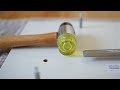
As you can see by the video, Lobbamobba purchased a fairly cheap bedside table and decided to embed a DT-900 underneath and into the woodwork. Sure, he/she could’ve left the charging plate on top like everybody else, but Lobbamobba decided to be clever and unique.
No pads in sight
The video gives a brief, but fairly concise, overview of what’s needed to achieve the wireless, padless, effect.
Taking the nightstand apart is the start of this experiment, followed by some chiselling and some reassembly. At the end, a Nokia Lumia 920 is placed atop the stand and it begins to charge automatically and magically.

Nokia Lumia 920 and Lumia 820
Our first Windows Phone 8 smartphones.
Be a part of it.
We applaud Lobbamobba (@Lobbamobba) for his or her creativity and also for the video-editing skills – it’s really quite beautiful.
Has this video inspired you to get creative and try something similar? If it has, we’d definitely like to hear from you in the comments section below.

Tags: None
kwi
16

Last week we looked at Greed City, an innovative location game based on Nokia’s HERE Maps platform that its creator has described as a mash-up between Monopoly and Foursquare.
Players earn credits for checking into businesses and they can use credits to buy or open up new businesses – all in real world locations. The goal is to build an empire and climb the worldwide Greed City Rich List.
Lighthouse Games Studios, a two-man team, in Durban, South Africa, developed Greed City. Formerly based in London, they’ve been going for four years, and have released over 16 games on the Xbox Indie Games market.
Greed City creator Edward Dennekamp, 32, develops games for Lighthouse Games Studio full-time. We spoke to Edward to find out more about the game.
What inspired Greed City and how long have you been working on it?

We’ve always been interested in Location Based games and after playing around with Foursquare for a while we realized it lacked a major gaming element and there was an opportunity to do something different.
We came up with the idea early December and only really started to work on it mid-January and then submitted the first public version end of February.
What sort of feedback have you had so far?
Even at this early stage the feedback has been extremely positive, our ratings are 4 stars and higher in almost all countries. Players love the concept and find the UI very slick.
There has been very little negative feedback, although there was some confusion when we first launched it, as players did not understand how to play the game. We have since released an update that addresses those issues.
Players have also requested more ways to earn credits faster, which we have implemented in our latest release (ver 1.1.6).


How do you plan to improve the game in the future?
There are three phases to the game, ver 1.1.6 introduces Phase 2, which is the ability to upgrade businesses and offer better rewards.
Phase 3 is the one we are most excited about: it’s going to take the gameplay side of things to a whole new level of awesomeness! That’s all I can say for now.
How easy was it to work with Nokia’s HERE Maps technology platform?
Nokia’s HERE Maps is a big improvement over the previous maps. Nokia provides really good support on their developer website so it was really easy to get the app up and running with HERE Maps.
Greed City would still have been possible without HERE Maps integration, but it would have meant a bit more work and probably the end result would not have been as great.

Tags: None
kwi
16

There are plenty of photo apps in the Windows Phone Store for your Nokia Lumia so developers have to create something pretty special to stand out from the crowd.
Fhotoroom (free) distinguishes itself by having a trendy misspelt name and by virtue of having some awesome professional imaging features, being a photo effects editor and incorporating a social network all rolled into one.
The app was voted as the Community App Awards Best Photo App of 2012 and there is now a Windows Phone 8 version.
The imaging experience on the Nokia Lumia is already pretty special but with Fhotoroom you might be able to unlock even more of your creative potential.

Taking pictures
The camera mode on Fhotoroom offers an array of different shooting modes for you to choose from:
- Burst
- Timer
- Timelapse
- Macro
- Scenic
- Portrait
If you really know what you’re doing there are also options for auto-exposure and ISO settings.
A lot of these shooting modes, such as the auto-flash, already exist in your Lumia’s native camera experience. Arguably, Fhotoroom makes them much more accessible and simple to use.
However, if that doesn’t impress you, there’s also the photo editor.
Editing

You can explore the photo editing options either from the camera mode or directly from Fhotoroom’s start page.
The interface gives you one-touch access to over 75 different editing effects, custom frames and styles.
You can adjust, tweak, crop, rotate and fix any photo in the camera roll or in an album to your heart’s content. You can see the change to your photo as soon as you tap the screen to apply the effect – if you don’t like it just start again.
My favourite was the Tilt Shift effect, which can make your photo look like a magical and miniature toy model in 3D.
On some desktop photo tools, tilt shifting can be quite tricky and complicated to pull off, but it’s remarkably simple here.

The Fhotoroom Network
If advanced shooting modes and a plethora of editing options is not enough to impress you, Fhotoroom is also a social network where you can share your photos and see other people’s images too.
In fact, the app opens displaying the recent images that have been posted by members of Fhotoroom’s social network. To upload images yourself, you’ll need to sign up first though.

Once you have signed up for the Fhotoroom account (it’s free and you only need an email address) then you can also upload your photos to other services such as Flickr, Twitter and Facebook.
Whether the world needs another photo-based social network is open to debate but it cannot be denied that it works well here, and the mosaic-style interface of recent or tagged photos looks delightful.
The clincher for me is that you can also use these photo feeds from the Fhotoroom’s social network on your Lumia’s lock screen. You can choose from recent, popular, interesting or search for your own tag, say #London.
There will be other apps that can offer you photo modes, effects editing and a social network. But very few that can offer you all three in such an attractive package.

Tags: None
kwi
16

When it comes to extreme sports, you don’t get much more extreme than Parkour. Also know as freerunning, practitioners of this incredible discipline use their bodies and the surrounding environment to propel themselves forward as fast as possible. This means running, climbing, swinging, vaulting, rolling and leaping across the landscape in a way that is amazing to watch, but tough to film.
Happily Nokia was up for the challenge and recently got together with Red Bull and freerunning World Champion Ryan Doyle and his partner in Parkour, Will Sutton. The goal was simple: To showcase this stunning urban art form and the video capabilities of Nokia Lumia 920, the world’s most innovative smartphone.
Why freerunning?
It’s fast, it’s furious and it’s a lot of fun to watch. What’s more, freerunners are huge fans of filming their moves. Although we’ve never leapt off a roof, we understand why there’s nothing more annoying than executing a perfect leap only for your smartphone camera to miss it.

Why the Nokia Lumia 920?
The Nokia Lumia 920 is one of the world’s greatest camera smartphones, jam packed with innovations, which makes it ideal for videoing freerunning. Its lowlight capabilities mean that those insane moves can be showcased no matter what the lighting conditions.

Then you’ve got the moves themselves. Freerunning is all about maintaining as much momentum as possible and reimagining ways of moving around your environment. The unique Optical Image Stabilization technology on the Lumia 920 is perfect for capturing all this free flowing motion in a way that is as smooth as Parkour itself. Last but not least, you have the PureView quality of the video. With a 1080p option, you can capture truly amazingly HD quality film.
How was it filmed?
To give a unique perspective of freerunning, the director used twelve Nokia Lumia 920s in total. At any one time up to five were filming simultaneously. Two were strapped to the chests of the freerunners, Will and Ryan. Meanwhile, two cameramen ran behind them with steady cam mounted Nokia Lumia 920s, to get another view.

Another Lumia 920 was attached to a remote controlled Cinestar Octocopter, which had to fly in 9.8 knots, eight stories up, and still focus on the action. Finally, for some of the moves, Lumia 920s were strapped to the Will and Ryan’s heads. (Fast forward to the 51 second mark to get a taster of the head cam action.)
The end result
Press play to see for yourself the stunning outcome of the day’s filming. Not only are Will and Ryan’s moves shown in all their glory, but with snatches of the chest cam edited into the final video, you get a real sense of the incredible speed at which these guys move.
But it wasn’t all plain sailing. On one roof jump, a Nokia Lumia 920 tumbled free of its chest holder. Thankfully, in true indestructible Nokia style, it survived the fall with a mere scuff.
While we’d never suggest you emulate the daredevil stunts that Will and Ryan make look so effortless, we’d love to hear of any extreme videos you’ve taken with your Nokia Lumia 920. Attached to octocopters or not.

Tags: None
kwi
16

Mobile phones are great for keeping in touch, but they’re also fantastic when it comes to keeping up to date with the latest sports news and information. With smartphones like the Nokia Asha 308, there’s no need to ever miss a football scoreline again. Here’s how you can set up RSS feeds to catch the latest scores.
Nokia Asha phones have an RSS (Rich Site Summary or Really Simple Syndication) reader included as standard, meaning you can get the latest news and headlines delivered straight to your phone, without having to trawl websites every day.
This is a great feature for football fans, as it lets you track the latest transfer news, scores, fixtures and any other newsworthy information.

To get started with RSS feeds on your Nokia Asha smartphone, open the News Reader app from the menu. The app will be empty by default; it’s down to you to populate it with the news channels that you find interesting, and in this instance there are loads of football specific RSS sites available.
To populate the News Reader with sporting content, you’ll need to know what sites are suitable. It’s easy to find sites that offer RSS feeds, thanks to a little square (often orange) icon with a few curved lines. If you see this icon on a webpage, it means you’ll be able to access an RSS news feed.

The BBC is a great example, providing a host of different RSS feeds to suit all tastes. Click on the ‘News Feeds’ link at the bottom of the site, and then click the ‘Football’ link on the right to get the latest football news. If you then click on the address bar at the top of the page, you’ll see the address you need for the RSS feed. You can’t copy/paste with the Asha, so instead write down the URL.

Open the News Reader app, and enter the BBC Football URL (it should be: http://feeds.bbci.co.uk/sport/0/football/rss.xml?edition=uk). The Reader will take a couple of seconds to process it, and then you’ll see a BBC Sport icon appear. When you click it, you’ll get all the latest football headlines and news. You can do the same with multiple other sites, giving you easy to read sports news in one place.

That’s just one way to add news feeds to your Nokia Asha smartphone though. If you don’t care about having all your news feeds in one location, the quickest and simplest solution for football fans is to download a dedicated news app, offering the information you’re interested in as soon as you launch the app.
Such solutions take advantage of Nokia’s WebApps technology, and there’s plenty of choice for discerning football fans. Here are a few of the options:

Some of the apps below are specific to particular football clubs, but if you’re interested in the sport as a whole, then check out World Soccer News. With news and features from around the world, it’s a great source for information.
A comprehensive app for football news, you’ll find specific information on different clubs, latest scores, transfer information, match information and games analysis all on offer.

Red Devil provides an unofficial news stream for Manchester United FC, with everything from the latest games results to transfer news and interviews with players. If you’re a Man UTD fan, it’s a must-have.

Manchester United aren’t the only club to get their own unofficial news feed, with Chelsea supporters also in on the action. This feed offers a similar set of features to Red Devil, with new news updates and features popping up automatically each time you open the app.

Most of the top clubs in England are represented when it comes to news apps, and Arsenal are no different. The Gunners app is split into four distinct sections: News, Points, Scores and Fixtures, so you’ll always have everything you need at your fingertips.

Tags: None
kwi
16
Das Sony Xperia Z
Sony liefert mit dem Xperia Z ein Full-HD- Smartphone mit den neuesten Technologien in puncto Display, Kamera und Verarbeitung.

Reality-Bildschirm mit Full-HD
Das Xperia Z verfügt als erstes Smartphone überhaupt über einen fünf Zoll großen Full-HD Touchscreen (12,7 Zentimeter) und kann mit diesem über zwei Millionen Bildpunkte (1920×1080 Pixel) darstellen. Auch die häufig in Fernsehern verwendete Bravia-Technik nutzt Sony hier zur Kontrastverbesserung aus und ermöglicht somit eine natürliche Farbdarstellung und extreme Bildschärfe.
Brillante HDR-Videokamera
Das Sony Xperia Z verfügt über eine mit 13 Megapixel ausgestattete Kamera und verwendet die neue High Dynamc Range (HDR) Video und Fotofunktion. Mit dieser ist es möglich auch bei schlechten Lichtverhältnissen ausgezeichnete Fotos und Videos aufzunehmen. Auch die sonst häufig vernachlässigte Frontkamera ermöglicht Full-HD Aufnahmen für optimale Ergebnisse bei Videokonferenzen.
Leistung und Speicher
Ausgestattet mit einem 1,5 Gigahertz starken Snapdragon™ S4 Pro Quad-Core-Prozessor meistert das Sony Xperia Z aufwendige Anwendungen, große Videos und auch Spiele in Sekundenschnelle und zählt zu den schnellsten Smartphones auf dem Markt (Stand März 2013). Der zwei Gigabyte große Arbeitsspeicher ermöglicht es auch mehrere Anwendungen ruckelfrei parallel zuverwenden.
Intern mit einem 16 Gigabyte großen Speicher ausgestattet bietet das Xperia Z zudem dank eines vorhandenen microSD-Kartenslots die Möglichkeit den Speicher auf 32 GB zu erweitern. Per Adapter ist auch der Anschluss eines USB-Sticks möglich.
Schick und gleichzeitig robust
Die qualitativ hochwertige Verarbeitung machen das Sony Xperia Z zu einem der widerstandsfähigsten seiner Art. Es ist sowohl wasser- wie auch staubgeschützt und bietet aufgrund der aufwendigen Rahmenkonstruktion zudem eine hervorragende Kratzfestigkeit und Stabilität.
Betriebssystem
Geliefert wird das Smartphone mit dem aktuellen Android 4.1.2 (Jelly Bean) Betriebssystem, welches gegenüber der älteren Version 4.0 in technischer, optischer, aber auch funktionaler Sicht Neuerungen mit sich bringt. Zudem ist bereits ein Update auf die Version 4.1.2 angekündigt, um das Maximum an Funktionalität zu garantieren.
NFC
Außerdem ist das Sony Xperia Z mit der zukunftsorientierten Near-Field-Communication Technologie (NFC) ausgestattet, welches den Datentransfer zwischen zwei NFC-fähigen Geräten spielend ermöglicht.
Fazit
Das Sony Xperia Z punktet in den Bereichen Verarbeitung, Display und Leistung und zeichnet sich somit deutlich von der Konkurrenz ab. Besonders hervorzuheben ist die robuste Verarbeitung und der Wasserschutz, durch welche auch ohne Bedenken eine Verwendung im strömenden Regen möglich ist.
The post Das Sony Xperia Z – ein präzise gefertigtes Full-HD-Smartphone appeared first on Handy Test 2013.
Tags: None
kwi
15
W Teatrze 6.piętro rozpoczyna się właśnie konferencja prasowa prezentująca Nowe FORMUŁY dla Firm oraz usługę, z której wielu z Was na pewno się ucieszy..  Ale o tym w następnym wpisie

Poniżej szczegóły nowej oferty, co ważne bardziej szczegółowe niż te, które zaprezentujemy na konferencji (kilka dodatkowych slajdów z detalami)

Przede wszystkim należy powiedzieć głośno – Klienci pokochali FORMUŁY!

Sporo już mamy tych FORMUŁ – FORMUŁA S, M, L, FORMULA WWW oraz ostatnio pokazana FORMUŁA MIX

Ale nie wiem, czy wiecie, że..

Dlatego..

Wyniki były bardzo korzystne dla PLAY
NPS (Net Promotion Score) – to wskaźnij pokazujący ilu badanych poleciłoby swojego operatora telekomunikacyjnego (lub inną usługę) swoim znajomym i rodzinie.

Zbadaliśmy też inne wskaźniki


Przedstawiamy Nową FORMUŁĘ dla Firm!

Nowa oferta to:

To już standard we wszystkich ofertach

Oraz UWAGA..

Dla szczególnie wymagających nielimitowane połączenia do wszystkich sieci oraz..

FORMUŁA dla Firm – Dla rozmawiających

FORMUŁA dla Firm dla korzystających z internetu

Najbardziej korzystna oferta na rynku dla najbardziej wymagających i zapracowanych

O co chodzi z tymi ratami? Podstawowy abonament kosztuje 95 zł netto – do niego dobieramy wysokość raty za telefon 10-60 zł netto miesięcznie

Standardowy mechanizm Bezpiecznego internetu również w ofercie dla Firm

W ofercie FORMUŁA dla Firm jest wiele usług dodatkowych

Jeśli macie jakieś pytania do oferty – piszcie śmiało – będziemy je zbierać i odpowiadać. Regulaminy opublikujemy tak szybko, jak się da. Za chwilę kolejny wpis na blogu


Tags: None
kwi
15
Dzisiejsza konferencja prasowa to nie tylko nowe taryfy dla firm. Prezentujemy Wam długo oczekiwaną usługę – możliwość podpięcia pod kartę SIM drugiego numeru komórkowego lub stacjonarnego Jak zwykle dodaliśmy garść szczegółów, które nie zmieściły się w wersji prezentacji na konferencji.

Drugi numer może być stacjonarny lub komórkowy, nowy lub przeniesiony. Zawsze jest możliwość odbierania połączeń kierowanych na numer stacjonarny, wykonywanie połączeń z numeru stacjonarnego tylko w ze Strefy Stacjonarnej.

Jak widzicie oferta dostępna jest również dla taryf indywidualnych

Połączenia na drugi numer zaznaczone są znakiem #1 na końcu numeru.

Dokładny schemat działania

Obsługa USSD


Regulaminy dokleimy do tego wpisu tak szybko, jak się da

Tags: None


