kwi
19

If you own a Nokia Lumia smartphone and a Mac, you may, at some point, decide to upload the photos or videos you’ve taken on your Lumia to your Mac for editing, or storage.
There are two ways to do that, one using SkyDrive and the other is to use the Windows Phone app for Mac. Here’s how you use both.
Every Nokia Lumia smartphone has access to cloud storage, provided by Microsoft’s SkyDrive. The most basic and standard package gives you 7 GB of free storage, but if you need to, you can upgrade to a bigger package, at a cost.
 Your Nokia Lumia smartphone has the ability to automatically upload any photo you take directly to SkyDrive. This means that you can point and shoot to your heart’s content and not worry about transferring them later when you get home.
To turn on automatic upload, head to the applications panel in your Lumia’s main settings screen. You’ll find the auto upload option underneath the tick boxes.
You’ll notice there is the option to automatically upload your videos directly to SkyDrive, however, this only works via Wi-Fi. That may be useful if you’re filming at home where you have a Wi-Fi connection, but if you’re out-and-about, it won’t be much use to you. It’s probably easier to manually upload your videos when you get home or back to the office.
To manually send that video – or photo, if you prefer not to auto-upload that, too – find the item in your Photos gallery, probably under Camera roll. Pulling up the menu options from the bottom of the image or video you’ll see the option to Save to SkyDrive, then press upload.

You’ll then find that media file in your SkyDrive account, and from there you can re-download it onto any device you want, including your Mac.
That’s just one way to pass photos and videos from Lumia to Mac, but there’s also another way; using the Windows Phone app for Mac.
You’ll need to download the latest version from iTunes and install in on your Mac.

Next up, launch the app on your laptop or computer and connect your Nokia Lumia to your Mac using a data cable.
After a few seconds you should see the “Connecting to a device…” progress bar appear, and a few more seconds later, your Lumia will be connected to your Mac.
There are a number of things you can do with Windows Phone app for Mac, but for this article we’re focusing on just getting videos or images off your Lumia.
The menu running down the left hand side of the app is where you’ll find the option to off-load your media files. Look for the option that reads Browse Device.
Once that option is selected, the main screen of the app will populate with a list of items that are currently on your Nokia Lumia smartphone.
Scroll down to the Video, or Photo section and select the content you want to save to your Mac. Using the CMD key on your Mac allows you to select a number of items crossing different sectors.

When you’re ready with your selection, just press the big Import Selected Items button at the bottom. Your Mac will then automatically launch iPhoto where you’ve got the option to trim bits off the beginning or the end of your video by double clicking the video and clicking on the Action (gear) menu.
While we’re sure iPhoto is useful, it squirrels away your pictures deep in the file system, with no easy way of finding where they’re stored. So, if you prefer to have the raw file straight from your Nokia Lumia smartphone (for the purpose of editing it in Photoshop, or something), you could try this instead:
Head back to the Windows Phone app for Mac, select what you want to download and instead of clicking Import Selected Items, drag the items to a folder on your Mac.
This will copy the file directly from your Lumia to an easy to reach file directory, where you’ve got the option to do what you want with it, like edit a video using Final Cut, for example.

The new Nokia Lumia 720
Curved glass, slim design and full of features.
Find out more.
Alternatively you can set the app to automatically import all your photos and videos from your Lumia to your Mac as soon as you connect the device – easy!
We hope this has proved useful for those Nokia Lumia owners who have a Mac. If it has, or hasn’t, sound off in the comments section below.
Image credit: LJR.MIKE

Tags: None
kwi
19

Your Nokia Lumia smartphone can do many things for you but perhaps one of the most important is that it can help you stay active, get fitter and monitor your health.
As well as general exercise and training apps there are also some great tools in the Windows Phone Store that allow you to monitor your physical well being, such as blood pressure, BMI and your heart rate.
We all know that keeping fit and looking ourselves is vitally important but it can sometimes be difficult to maintain that commitment in our daily lives. Here’s where these apps and your Lumia can make all the difference!

If you’re after an all-in-one app for your medical records then Medical Wallet is just the thing for you.
You can monitor your weight, BMI, allergies, blood pressure, blood glucose and keep track of your prescriptions; there’s a digital pedometer, you can search for nearby medical centres and gyms and, should you wish, you can even share records of your progress on social networks!
The app is integrated with Microsoft’s HealthVault service so you can back up all your records without any fear of losing vital information.

Where apps such as Medical Wallet or Medicine Tracker (£1.49) are great for keeping track of your medical records, there are also some tools that give you instant, real-time information.
Instant Heart Rate measures your heart rate as it actually is, at the very moment you are using the app. It works by measuring the pulse in your fingertip when you place it over the Lumia’s camera lens.
It sounds like voodoo but it seems to work. While monitoring your heart rate should be a sobering experience, I couldn’t help thinking that this was also great fun! I blame the bleeping hospital sound effects.

Another similarly interactive health app is Test Your Ears. This plays small bleeps at different frequencies (which you control on the dialler) to see how high you can go before they become inaudible.
We tend to lose the ability to hear at the higher frequencies as we get older – hence the use of sonic alarms to deter groups of unruly teenagers.
I’m afraid I maxed out at 15,000Hz, but you can turn it up all the way to 20,000Hz. The developer has another app worth checking out – Test Your Eyes (free).

If you’re concerned enough to be monitoring your health, then you should also be watching what you eat.
This app gives you nutritional information about various foods and drinks so you can carefully monitor your intake.
Each food type is listed with different facts such as calories, carbohydrates, proteins, vitamins, minerals, fat and fatty acids. Even meals at popular fast food restaurants are listed!

So, after monitoring your blood pressure, measuring your heart rate and improving your diet, what’s the next step to living a healthier lifestyle? Exercise!
Runtastic is a genuine all purpose fitness package. It tracks your runs or walks using GPS, tells you how many calories you’ve burnt off, the speed, time, distance and all sorts of other statistics.
It saves all this data so that you can track your progress over a period of time. Of course, there’s also a Live Tile so you can see the information at a glance.
As I mentioned earlier, there’s plenty of other health and fitness apps in the Windows Phone Store so check them out if running is not your thing.
Also, don’t forget, as useful as these apps are, they are no substitute for professional medical advice!

Tags: None
kwi
19

The Nokia Asha range may be made up of affordable handsets, but it’s amazing what devices like the Nokia Asha 308 and Nokia Asha 205 are capable of doing.
Over the past few months I’ve been using it for everything from blogging to playing my favourite games, but that’s only scratching the surface. Tumblr is another site that you can access and update using Asha phones, and here’s how.
With over 100 million blogs, Tumblr is one of the most popular blogging platforms on the Internet. We’ve already looked at using the Nokia Asha to blog on WordPress, but Tumblr offers something completely different, proving equally good at sharing pictures as it is your thoughts and ideas.
If you haven’t used Tumblr before, all it takes is your email address, a password and a username to get started. It literally takes seconds, and once you’ve created an account it’s time to select the sorts of things you love – be it animals, art, photography or something else – which will let you find other Tumblr blogs of interest.
From Tumblr itself it’s possible to add all sorts to your blog: Text, photographs, quotes, links, chat, audio and video, but you can also add content to your blog straight from your Nokia Asha mobile phone.
The first thing you’ll need to do is log into your account on a regular web browser, and hit the settings button at the top of the page. It looks like a small star, and is located between a question mark icon and a ‘power’ icon.

Scroll down until you see ‘Post by Email’, and you’ll see a unique email address. Click the button below that: ‘Send this address to me’ – this will send the unique Tumblr address to your regular account. Keep this address safe; you’ll need it to make posts from your Asha smartphone.

There’s an incredible amount of things you can add to your Tumblr blog using an email account from your Asha. In fact, everything you can update on a full web browser, you can add to your blog from your Nokia.
Adding text is arguably the easiest thing to try out first. Simply create a new email on your Nokia Asha, and put the unique Tumblr email address as the recipient. If you want a title for your blog post, put it in the subject of the email. Whatever you write in the body copy of the email will appear as the content in the blog itself.

The same process works for photographs, videos and audio files. Add the unique email address, add a subject for the title, and then attach the file you want to appear on your blog post. Adding multiple photographs to your email will create a photoset on your Tumblr blog. You can add a caption to go with the photograph, video or audio file by adding a subject to the email.

Adding a link is just as easy: simply add the link you want to the body of the email. For a quote, add the quote, but this time you’ll also need to include who the quote is attributed to, as below:

If you want to add chat posts, again just add the text to the body of the email, as below:

You can even add tags to your Tumblr posts, making it easy for your friends, followers and other people to find posts and topics that interest them. To add a tag, simply add the word you want, beginning with a hashtag, at the end of the email. For instance:

Have you been blogging with your Nokia Asha? Let us know in the comments below.

Tags: None
kwi
18
Ostatnio było trochę podwyżek i o ile dobrze „pacze” to w tym ceny idą w dół! Polecam, używam, warto  Tymczasem czekamy na androidowe hity, które lada dzień po niedzieli.
Od jutra zmieniają się ceny telefonów Apple iPhone
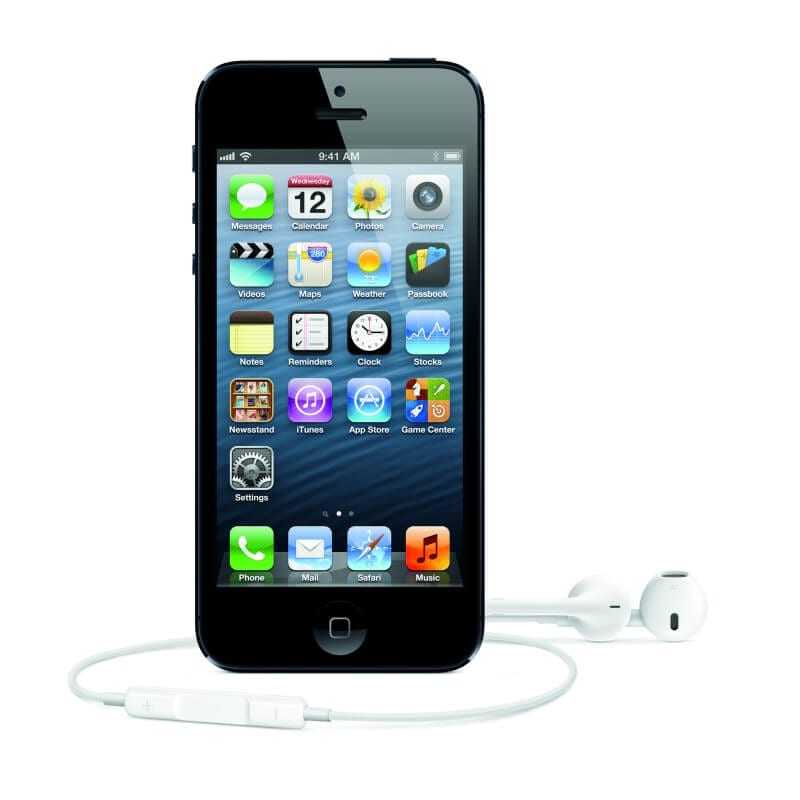
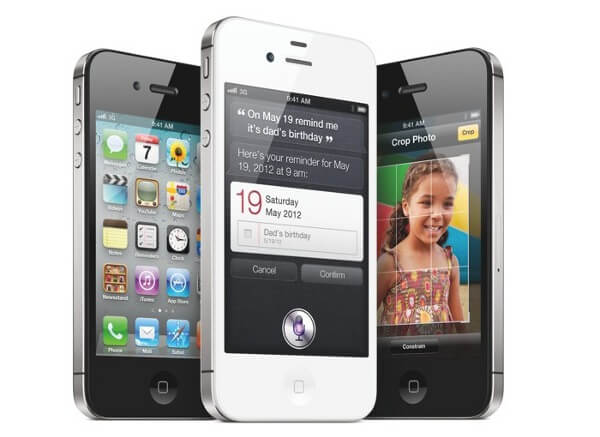
Szczegóły w cenniku.

Tags: None
kwi
18
Ostatnio było trochę podwyżek i o ile dobrze „pacze” to w tym ceny idą w dół! Polecam, używam, warto Tymczasem czekamy na androidowe hity, które lada dzień po niedzieli.
Od jutra zmieniają się ceny telefonów Apple iPhone
Szczegóły w cenniku.
Tags: None
kwi
18

This week we are featuring a brand new app that enables Nokia Asha Touch users to join in on one of the world’s most popular messaging platforms.
Originally developed in Japan, LINE, currently boasts 130 million users in over 240 countries and it is now available in the Nokia Store.
The app, which is huge in Asia and growing fast in the rest of the world, allows you to instant message with friends or groups, and send photos to each other.
All that’s required is that you both need a device (on any operating system) with the LINE app installed. LINE can even be used on computers.
Setting up LINE

After downloading LINE, the first thing you need to do is configure the app by entering your mobile number. Within seconds you’ll receive an SMS with an activation code.
The next step is to register with an email address and password for a LINE account. It’s something that you can skip and complete later, or not at all, but it’s worth making the effort.
With a LINE account you can access your existing profile information, such as the friends list, even if you change phones, your number, or if you start using LINE on a computer.
Finally, you can grant the app access to your address book to build up your friends list. Magically, it only imports contacts that are already LINE users.
Messaging and groups
Even if you’ve never used LINE before, it will still be mighty familiar to you. Anyone who has ever sent an SMS on any phone will be able to pick up LINE and start using it with no problems whatsoever.

Simply select someone from your friends list, type your message and hit send. You can also attach photos and view your chat history – you can also delete chats.
One of the big features that has helped to fuel LINE’s popularity is the creation of groups where you can chat with many people at the same time.
To set up a group, tap ‘Options’, select ‘Create a group’, give the group a name and then select the people from your friends’ list that you want to be included.
That group will be created and appear at the top of the friends list – just select it to start a chat with everyone.
LINE has some other worthwhile features, such as the ability to block certain users, turn off your public ID and stop people from automatically adding you to their friends list. All these options can be found in the settings menu.
Most of the time though, LINE is about connecting you with your friends and it does that rather brilliantly. It’s fast becoming a must-have app.

Tags: None
kwi
18

Billed as “the most memorable action thriller ever” Modern Combat 4: Hero Hour recently blasted its way onto Windows Phone. The ton of five stars reviews and enthusiastic comments show that it’s already an astounding success with Nokia Lumia gamers. But how did we reach a stage where such an awesome game can be played on your smartphone? Let’s pause for a minute to take a trip down mobile memory lane and check out some iconic games of yesteryear.
Space Impact (2000)
It all started, of course, with the world’s most popular mobile Snake in the late 90s, which created the first mobile gaming craze. First added to the Nokia 6110, it’s on over 400 million mobile phones and is now in its ninth version. But Snake wasn’t the only game out there more addictive than Pringles; Nokia’s Space Impact, available on everybody’s favourite retro handset, the 3310, amongst others, was a side-scrolling space shooter that looks naive now, but was a breakthrough hit back in the good old twentieth century. A spaceship versus aliens? That combo never gets old. We say bring it back!
Tetris (2003)
The beloved training-ground of anybody who’s ever tried to overpack their car—Tetris has been a handheld classic since the heyday of Nintendo’s Game Boy. The Hagenuk MT-2000 was the first mobile phone to bundle it back in 1994, and it was a staple on the Nokia N-Gage in the early 2000s. EA now sell it in the both the Nokia Store and Windows Phone Marketplace and little about the game has changed—but we say, if it ain’t broke, don’t fix it!
 Doom RPG (2005)
Another iconic game, which got gamers cheering in 2005, was Doom RPG, a spin-off of the massively popular sci-fi/horror PC game, redeveloped for mobile platforms. Unimaginatively titled, sure, but this monster-laden first-person shooter role-playing extravaganza took home Best Mobile Game and Best Adventure/Pole-Playing Game at the 2005 Mobile Entertainment Awards.
Angry Birds (2009)
Is it a bird? Is it a… wait, no, actually, it is a bird! Rovio Entertainment’s Angry Birds, first released in 2009, might be the most ubiquitous computer game since the Mario Bros first leapt out of their pipes. It’s jumped from the mobile platforms to consoles and desktops; it’s on t-shirts, earrings, and even racing car helmets—Heikki Kovalainen sported an Angry Birds design on his headgear for the 2012 F1 season. Nokia sell an Angry Birds shell for the Asha 311. It’s even set a world record: in 212, in Kuala Lumper, Nokia hosted the world’s largest Mobile Phone Game Relay, with over two thousand participant. Who’d have thought shooting an irate bird into a bunch of pigs would have been so desirable?
Modern Combat 4: Hero Hour (2013)
Taking the present day by storm, we’ve got Modern Combat 4: Hero Hour possibly the best Windows Phone 8 game yet. This first-person shooter is a must-have for all combat-lovers, with so much gunplay, snipers, bioweapons and tension that it’s hard to believe it all fits inside a smartphone. The production values are as incredible as you’d expect for a Windows 8 release, and it’s powered by the Havok Engine. This means that the animation is extremely precise, with real-time collision detection, making the graphics mindbogglingly realistic.
It’s truly astounding to see how far mobile gaming has come in just over fifteen years. Question is, how can they get any better? If you’ve got an answer we’d love to hear it in the comments below.
Image credit: Yinghai

Tags: None
kwi
18

Click here to view the video on YouTube.
You don’t need to be a professional photographer to take stunning photos with the Nokia Lumia 920.
The camera in the world’s most innovative smartphone has the latest evolution of PureView technology, giving you optical image stabilisation and outstanding performance in low light conditions.
However, by understanding some basic principles about photography you can really make the most of all this groundbreaking technology.

Click here to view the video on YouTube.
Rankin
British photographer and filmmaker, Rankin, has photographed some of the most famous people in the world: Hollywood stars, rock legends, political leaders and royalty.
A couple of years ago Rankin set up a film production company as a creative outlet for him to create dramas, films and documentaries.

Click here to view the video on YouTube.
These special videos presented by Alex Simpson of Rankin Film Productions give you expert tips and explain concepts such as exposure, ISO and white balance using a Nokia Lumia 920.
There is even a look at Nokia’s Creative Studio app to show how you can enhance your images with different effects.

Click here to view the video on YouTube.
Rankin partners with Nokia on Collabor8te, a scheme set up to support aspiring filmmakers in the UK.

Tags: None
kwi
18

Nokia smartphones are famed for many things around the globe, but one quality you hear mentioned time after time is that they’re hard-as-nails. For anyone who knows about Finland’s long traditional of industrial craftsmanship this is exactly what you expect. Nonetheless, it still comes as a surprise to hear the punishment Nokia devices have taken and survived.

Only this month, we heard about a Nokia Lumia 920 being run over by a 24-ton earth mover yet, despite a cracked screen, still being fully functional. Then there was the story of the Nokia Lumia 800 being dropped into an icy lake by divers, who fished it out after ten minutes of it being submerged. Not only did it boot up after a couple of hours being dried out, but it also took a picture of its dip.
This got us wondering how a many other real life Nokia Lumia survival stories there were. To find out, we asked you on Twitter. Here’s ten stories, in 140 characters or less, that you shared.


After reading your stories (especially the fantastic meeting with Chuck Norris!) it seems that Nokia Lumias really are some of the toughest smartphones around. If you’ve got any other tales of survival, let us know in the reinforced comments section below.

Tags: None
kwi
18

This week, an updated version of the LinkedIn app was released for Windows Phone, which includes the ability to launch the app using basic voice commands such as “LinkedIn: Today”, “LinkedIn: Inbox” and “LinkedIn: New Status”. We had the chance to catch up with Joff Redfern from LinkedIn about the enhancements available in the app.
Joff heads up the global mobile products team at LinkedIn, where he oversees the company’s mobile strategy and how it fits in with their other product efforts. Joff and his team have been working to reimagine what LinkedIn should be like on Windows Phone 8 devices like the Nokia Lumia.
Download LinkedIn
- Press the Search button on your Nokia Lumia and then tap Vision
- Scan the QR code
- Tap on the link when it appears on the screen
- Install the app from Windows Phone Store
What’s new with the Windows Phone LinkedIn app?
We are always looking for new ways to help mobile professionals conduct business and get the necessary insights wherever they may be working. With this in mind, Windows Phone’s awesome Live Tiles are now supported in different sizes and with higher resolution pictures, so our members can quickly scan their important updates.
In addition, the lock screen can now be set to include images from LinkedIn Today for immediate access to real-time professional insights, allowing members to quickly find and consume the information they need to be great at their jobs.
You now have support for additional languages in the LinkedIn app – how did you decide which languages to prioritize?
We’ve added support for 12 new languages: Dutch, French, German, Indonesian, Italian, Japanese, Malay, Portuguese, Spanish, Swedish, Simplified Chinese, & Traditional Chinese.
We want to work where our members’ work, so we selected languages associated with the most popular geographies in which professionals are using Windows Phone devices. Our international membership continues to grow, along with the global workforce, so look for more updates to come.


As you noted, there are some features that are specific to WP8 compatibility, such as LinkedIn Today images on the lock screen and the ability to display different sized Live Tiles – were there certain features you knew you wanted to showcase with the app?
We like to say that we “hug the HIG” (human interface guidelines) for each of the mobile platforms we work on. We want to celebrate the platforms’ super powers. For Windows Phone, I love the way it tries to put “content before chrome” by reducing unnecessary graphics, and being ultra clean with typography. It was important to us to deeply embrace the Windows Phone’s solid design patterns. We didn’t try to port our design from one of our other apps – we started fresh.
Specific to WP8, we continue to improve the app with the features we like most on Windows Phone, like Live Tiles. We’re also always looking for new ways to reduce the friction members experience in trying to stay up to date. Adding LinkedIn Today to the lock screen on the phone gives easy access to the latest news and information – that’s good!
How can your user base best provide feedback about the changes that have been made?
We love hearing from our members. Feedback is essential for us and we certainly welcome comments on how to improve the user experience. Feedback can be provided by leaving comments and ratings on the Windows Phone Store, or reaching out to our customer support team at help.linkedin.com.


What’s next for LinkedIn’s Windows Phone app?
We’re constantly looking for ways to improve the user experience across all LinkedIn mobile apps, Windows Phone included. Specifics are under strict lock and key (and NDA), but look for future updates that enable even more personalized and streamlined access to the information, insights and conversations that matter most to our members and their networks.
Other than the LinkedIn app, what are your 3 favorite apps for use on Windows Phone?
LinkedIn is actually not one of my favorite apps (#lie). I am an avid reader and love the Amazon Kindle app. My digital bookshelf is quickly becoming massive. Listening to Pandora in the gym is a must. For productivity, and just remembering things, I heart Evernote.

Tags: None

