Od jutra do oferty podstawowej przenosimy telefon: Motorola Defy Mini XT320 Cennik
wrz
25
Motorola Defy Mini XT320 w ofercie podstawowej Play
Category: PLAY | Leave a CommentTags: None
wrz
25
Nowy starter : Play na Kartę Rok Ważności Konta
Od jutra rusza dystrybucja zupełnie nowego startera, który powoli zastąpi staruszka FRESHa. Zmieniają się nazwy i opakowanie, ale to co najważniejsze pozostaje bez zmian. Po każdym doładowaniu Klient przedłuża ważność konta o 365 dni. Promocje, które znacie z FRESHa pozostają bez zmian.
Tags: None
wrz
25
Nokia Asha 308 and Nokia Asha 309 join the Asha Touch family

Click here to view the video on YouTube.
The Nokia Asha 308 and Nokia Asha 309 are being welcomed into our family of Asha Touch smartphones today.
These beautiful and sleek handsets offer an innovative and affordable smartphone experience, packed with Internet connectivity, apps, maps, social networking and games.
The new devices offer a fluid ‘swipe’ user interface and an open environment for third-party app development – characteristics that have earned the complete Asha Touch range full smartphone classification from global market research companies and analysts such as GfK and IDC.
The Asha 308 and Asha 309 feature 3-inch, scratch-resistant, capacitive touchscreens, a 2-megapixel camera, powerful built-in speakers and the fun-to-use Asha Touch operating system.
The Touch experience
The swipe-inspired Asha Touch experience is fast, entertaining and intuitive. Scrolling and swiping on the responsive capacitive touchscreen is used to navigate and explore each of the new phones.
You can easily and quickly swipe between your application launcher with all your apps in one place; your ‘My Screen’ can be personalised with favourite contacts, apps and shortcuts — and a third home screen provides quick access to most-used features such as the phone dialer or music player.

Web and social
Being connected to the Internet lies at the heart of all Nokia’s Asha Touch devices.
The Asha 308 and Asha 309 feature Nokia’s new Xpress Browser, which uses cloud compression technology to make surfing the web faster whilst consuming up to 90 per cent less data.
One of the nice features of the Nokia Xpress Browser is that you can visit YouTube in the browser, and actually stream YouTube video via the phone’s video player.

We will be taking a closer look at the Nokia Xpress Browser, including the great support for web apps, in an upcoming Conversations post, so keep your eyes peeled.
As well as being connected to the Internet, we know that new Asha owners value being connected to their friends on social networks. That’s why Facebook, Twitter and local social networks in selected markets are pre-loaded apps on the new devices.
They are not the only ways of staying in touch either: there’s also email, chat, instant messaging and, on the Asha 309, WhatsApp.
Games & Discovery
If playing games is important to you, then the Asha 308 and Asha 309 have some real treats for you to look forward to.

Just like the other Asha Touch phones, each new device comes with 40 free EA games for you to download and keep forever. The leading titles include Tetris, FIFA 2012, and The Need for Speed The Run.
If that isn’t enough, check out the 22 classic arcade games that you can buy in the Nokia Store from NAMCO BANDAI, such as Pac-Man, Ridge Racer Drift and Final Fantasy. There are thousands of other games and apps for you to enjoy in the Nokia Store as well.
After playing some games, how about leaving the virtual world and meeting up with some friends? Nokia’s awesome location-based platform is another key feature of the Asha Touch family.
The Asha 308 and Asha 309 (which supports WiFi positioning) have Nokia Maps 2.0 so you can discover places of interest, find things to do and share them with your friends.
Your local maps are preloaded on the phone, and it’s easy to add more, so there are no additional download costs to pay.
Nokia Asha 308

Available in black or golden light, the Nokia Asha 308 has an Easy Swap Dual SIM so you can change SIM cards without turning off the phone.
Different SIM cards lets you use different phone numbers with one device, and you can manage data allowances on different networks to save money.
Nokia Asha 309

The Nokia Asha 309 is a single-SIM, WiFi-enabled device for fast and cost-effective access to the Internet.
It also comes with an Internet radio app for unlimited streaming of tens of thousands of global online radio stations. It comes in white or black.
Joining the Asha Touch family
With a great Internet experience, a choice of fantastic games, access to social networks, Nokia Maps to help you discover new places and an intuitive and fast user interface, both new devices feel right at home in the Asha Touch family.
Our Asha Touch range was launched earlier this year with the Asha 305, Asha 306 and Asha 311.
With the Asha 308 and Asha 309 slotted neatly into the middle of the family, now there’s an Asha Touch to suit everyone’s preferences and budget.
The new models are Nokia’s most affordable capacitive touchscreen devices to date. Nokia estimates the retail price for the Nokia Asha 308 and Nokia Asha 309 to be about USD 99, excluding taxes and subsidies, with shipping expected to start in the fourth quarter of 2012.
Tags: None
wrz
25
Internet sharing on Nokia Lumia

In the Nokia Lumia software update delivered in June, we saw a number of improvements and added features; one of them adding Internet sharing to the phone. What is it and how does it work? We’re about to tell you.
Internet sharing, or Wi-Fi tethering as it’s often called, is a way of connecting one device to another with the purpose of accessing the Internet through that second device. This is useful if you haven’t got a great data plan but the other device does. Or if the first device has a poor signal and can’t connect to the network but the second device can. The two devices connect to each other using Wi-Fi and up to five devices (which can also include computers, not just mobiles) can be connected at any one time.

Also, it’s worth noting that in places where 4G is available, it’s often faster than conventional home broadband. This means that with Internet sharing, it’s possible to connect your home computer to your 4G device and go about your Internet business much faster than before.
If you’ve updated to the latest software on your Lumia, you should already be seeing this new feature. If you haven’t updated yet, follow the steps in the videos below. Internet sharing will also be appearing in future Lumia smartphones like the Nokia Lumia 920 and Lumia 820.

Click here to view the video on YouTube.

Click here to view the video on YouTube.
Once you’ve got the latest software, here’s how you set up Internet sharing to turn your Lumia 800 or Lumia 710 into a mobile Wi-Fi hotspot.
Navigate to settings in the app list, and then scroll down to Internet Sharing. A simple flick of the switch turns Internet sharing On.


The first time that you do this, your phone will automatically be given a broadcast name. This is the name that other people will see when they’re looking for a Wi-Fi hotspot on their own device. You’ll also be given a password that people will need to input in order to connect. Pressing the setup button at the bottom allows you to change all of these details.


When people do connect, your phone will tell you how many people are accessing the Internet through your phone in the Guests connected section. You can’t control or see who’s connected to your Wi-Fi hotspot, although hopefully you’ll only have given the details out to people you can trust. You can change the security type to allow anybody to connect without the need for a password, but we wouldn’t recommend doing that. The last thing you want is somebody downloading high-def movies through your data plan without you knowing it.


If you’re worried about people abusing your data plan, don’t be. If you yourself are connected to a WiFi access point, they’re not eating into your data allowance. However, if you’re away from a WiFi access point and are still hosting a connection through your operator, you can manage your data use with Counters – the perfect companion when Internet sharing.
At any point, you can switch off Internet sharing by going back into the settings menu and flicking the switch; so you’re always in control.
Do you use Internet sharing? In what situations do you use it most? Let us know, in the comments below.
Tags: None
wrz
25
Social Innovators of the Week: Anna Stork & Andrea Sreshta

This week I’ve managed to find two social innovators who have found light at the end of the tunnel! Anna Stork and Andrea Sreshta are the inventors of the LuminAID solar light, the light that is, wait for it:
- Inflatable
- Waterproof
- Can float
- Can power light for up to 3 years!!!!
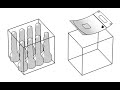
These budding social innovators met whilst studying architecture at Columbia University (the same university as our previous social innovator Candy Chang) and shared an interest in solar lighting technology. They believed that design and design thinking can be used to solve problems at a global scale, including improving access to basic resources.

The light was designed to fulfil the basic need for light in post-natural disaster situations after the devastating January 2010 earthquake in Haiti. The girls think that the light should be sent alongside basic supplies like food, water and shelter to a disaster zone.
Click here to view the video on YouTube.
Both Andrea and Anna had this to say about the product:
“When thinking about what we could design to make a difference, we decided to focus on affordable, renewable light because it had the potential to greatly improve the comfort, safety, and survival of earthquake victims”.
Here’s the economical bit, the shipping volume of 50 LuminAID lights is the same as 8 small conventional flashlights! So the product can reach many more people in just one trip, a crucial factor when considering how quickly whole towns and cities of people need aid after a natural disaster.

The product also acts as an effective marketing tool because businesses can print their logo on it, which kind of makes a tiny flashlight on a key ring seem obsolete right now!
You can buy and give LuminAID if you so choose. The company blog is also a great place to read about where the product has already had an impact. Since launching the company last year both Anna and Andrea have won three business plan competitions and launched an internet sales campaign that netted $50,000 – pretty impressive for year 1 I think you’ll agree!
Let me know what you think about the product by tweeting me @Nokia_Connects. I like to think that I’ve proved, once again, that two social innovation heads are better than one (just like last week)!
[Image credits: LuminAID Lab]
Tags: None
wrz
25
Rockin’ in the free world with Nokia Music
Click here to view the video on YouTube.
Imagine an application that brings access to a vast global catalogue of 17 million songs, available to listen to online and offline, and ad free without ever having to sign up or pay a monthly fee? That application is here.
It’s Nokia Music, which launched exclusively for Nokia Lumia in the United States a couple of weeks ago, and will feature prominently on the forthcoming Windows Phone 8 devices like the Nokia Lumia 920 and Nokia Lumia 820 smartphones.
Download the Nokia Music app
- Press the Search button on your Nokia Lumia and then tap Vision
- Scan the QR code
- Tap on the link when it appears on the screen
- Install the application from the Windows Phone Marketplace
While eager Windows Phone 8 fanciers will have to wait a little while longer to access the app, owners of the existing Lumia devices can download the free app today by using the QR code to the right.
Once you open the app from the Nokia Lumia 900, 800 or 710 you’ll notice that you’re not asked to sign up for an account. The listening can begin immediately, without handing over personal information or credit card details.
You’ll see from the Nokia Music homescreen a series of menu options. One is My Music, which takes you to the tunes you have stored locally on your phone or the files that you have purchased or added to the device from your computer. Any music you purchase using this app will end up here too.
Mixing it up
Selecting Mix Radio instantly opens up a world of pre-curated playlists from a large array of genres. You can select from Top Charts like The Billboard Top 100, Decade Mixes and much, much more. There’s even playlists from artists like Green Day, Rihanna and Lana Del Rey, with more playlists by new artists being added all the time.
There are many music streaming services that offer offline playlists for those times when connectivity or monthly data allowances are at a premium. However, most of them charge a pretty penny each month for the privilege of going off the grid.
Mix Radio allows for playlists to be made available offline free of charge or subscription. All you have to do is ‘long press’ on a playlist and select ‘Make available offline’. As the playlists are constantly evolving as the weeks go on, simply refresh them to ensure they’re perfectly up to date. You can download up to 14 hours to listen to offline at any one time. All playlists, online or offline, can be pinned easily to the Windows Phone Start Screen.

Creating A Mix
If you’re a picky playlist curator like myself, then you may want to rock a custom playlist. You can do this by selecting ‘Create A Mix’ from within the Mix Radio section.
Contrary to rival services, here you can add up to THREE artists from which to form the Custom Radio station, which beautifully narrows down the list to ensure you get just what you want.
If you create a playlist using Green Day, The Offspring and New Found Glory, you’re sure to get an almighty selection of the world’s finest pop-punk.
All of the Custom Radio stations you create can be shared to social networks or via email.
Getting Personal
Another neat feature of Mix Radio is the ability to create a personal music profile, which divides you up into neat percentages based on the genres of music you most enjoy.
Select the Personalize section of Mix Radio to examine your listening history or even scan your music library in order to create the profile (for example 27 per cent Rock, 33 per cent pop, 20 per cent soul and 20 per cent R&B) and then you can easily create a Custom Station based on your profile.
Forever yours
Beyond the Mix Radio magic, there’s also a built-in music store, allowing you to permanently own a digital copy of each of the 17 million songs you may hear while listening to playlists.
Going to the show
Nokia Music is, naturally, fully integrated with Nokia Maps, allowing you to search for concerts near to you through the Gigs Finder section on the main menu. Hitting this option will identify shows going on within your vicinity. If your choice isn’t listed, simply choose the search option.
Clicking on a show will allow you to buy tickets directly from within the app, from a range of online outlets. You can even get directions to the venue using Nokia Maps.
Tags: None
wrz
25
Nokia Maps vs Apple Maps
In the black corner we have the iPhone 5 armed with Apple maps. And in the Cyan corner (oh yeah) we have the Nokia Lumia 900, of course sporting its muscle in the form of Nokia Maps!

Now, both applications have been put head-to-head by the man himself, Nirave on UK mobile review.
Me, myself, personally, I’m not going to sit here and chirp on about this detailed, blow by blow encounter, I’m just going to say one thing; read the post.
Tags: None
wrz
25
Social Innovators of the Week: Anna Stork & Andrea Sreshta
This week I’ve managed to find two social innovators who have found light at the end of the tunnel! Anna Stork and Andrea Sreshta are the inventors of the LuminAID solar light, the light that is, wait for it:
- Inflatable
- Waterproof
- Can float
- Can power light for up to 3 years!!!!
These budding social innovators met whilst studying architecture at Columbia University (the same university as our previous social innovator Candy Chang) and shared an interest in solar lighting technology. They believed that design and design thinking can be used to solve problems at a global scale, including improving access to basic resources.
The light was designed to fulfil the basic need for light in post-natural disaster situations after the devastating January 2010 earthquake in Haiti. The girls think that the light should be sent alongside basic supplies like food, water and shelter to a disaster zone.
Click here to view the video on YouTube.
Both Andrea and Anna had this to say about the product:
“When thinking about what we could design to make a difference, we decided to focus on affordable, renewable light because it had the potential to greatly improve the comfort, safety, and survival of earthquake victims”.
Here’s the economical bit, the shipping volume of 50 LuminAID lights is the same as 8 small conventional flashlights! So the product can reach many more people in just one trip, a crucial factor when considering how quickly whole towns and cities of people need aid after a natural disaster.
The product also acts as an effective marketing tool because businesses can print their logo on it, which kind of makes a tiny flashlight on a key ring seem obsolete right now!
You can buy and give LuminAID if you so choose. The company blog is also a great place to read about where the product has already had an impact. Since launching the company last year both Anna and Andrea have won three business plan competitions and launched an internet sales campaign that netted $50,000 – pretty impressive for year 1 I think you’ll agree!
Let me know what you think about the product by tweeting me @Nokia_Connects. I like to think that I’ve proved, once again, that two social innovation heads are better than one (just like last week)!
[Image credits: LuminAID Lab]
Tags: None
wrz
25
Nokia Asha 308 and Nokia Asha 309 join the Asha Touch family
Click here to view the video on YouTube.
The Nokia Asha 308 and Nokia Asha 309 are being welcomed into our family of Asha Touch smartphones today.
These beautiful and sleek handsets offer an innovative and affordable smartphone experience, packed with Internet connectivity, apps, maps, social networking and games.
The new devices offer a fluid ‘swipe’ user interface and an open environment for third-party app development – characteristics that have earned the complete Asha Touch range full smartphone classification from global market research companies and analysts such as GfK and IDC.
The Asha 308 and Asha 309 feature 3-inch, scratch-resistant, capacitive touchscreens, a 2-megapixel camera, powerful built-in speakers and the fun-to-use Asha Touch operating system.
The Touch experience
The swipe-inspired Asha Touch experience is fast, entertaining and intuitive. Scrolling and swiping on the responsive capacitive touchscreen is used to navigate and explore each of the new phones.
You can easily and quickly swipe between your application launcher with all your apps in one place; your ‘My Screen’ can be personalised with favourite contacts, apps and shortcuts — and a third home screen provides quick access to most-used features such as the phone dialer or music player.
Web and social
Being connected to the Internet lies at the heart of all Nokia’s Asha Touch devices.
The Asha 308 and Asha 309 feature Nokia’s new Xpress Browser, which uses cloud compression technology to make surfing the web faster whilst consuming up to 90 per cent less data.
One of the nice features of the Nokia Xpress Browser is that you can visit YouTube in the browser, and actually stream YouTube video via the phone’s video player.
We will be taking a closer look at the Nokia Xpress Browser, including the great support for web apps, in an upcoming Conversations post, so keep your eyes peeled.
As well as being connected to the Internet, we know that new Asha owners value being connected to their friends on social networks. That’s why Facebook, Twitter and local social networks in selected markets are pre-loaded apps on the new devices.
They are not the only ways of staying in touch either: there’s also email, chat, instant messaging and, on the Asha 309, WhatsApp.
Games & Discovery
If playing games is important to you, then the Asha 308 and Asha 309 have some real treats for you to look forward to.
Just like the other Asha Touch phones, each new device comes with 40 free EA games for you to download and keep forever. The leading titles include Tetris, FIFA 2012, and The Need for Speed The Run.
If that isn’t enough, check out the 22 classic arcade games that you can buy in the Nokia Store from NAMCO BANDAI, such as Pac-Man, Ridge Racer Drift and Final Fantasy. There are thousands of other games and apps for you to enjoy in the Nokia Store as well.
After playing some games, how about leaving the virtual world and meeting up with some friends? Nokia’s awesome location-based platform is another key feature of the Asha Touch family.
The Asha 308 and Asha 309 (which supports WiFi positioning) have Nokia Maps 2.0 so you can discover places of interest, find things to do and share them with your friends.
Your local maps are preloaded on the phone, and it’s easy to add more, so there are no additional download costs to pay.
Nokia Asha 308
Available in black or golden light, the Nokia Asha 308 has an Easy Swap Dual SIM so you can change SIM cards without turning off the phone.
Different SIM cards lets you use different phone numbers with one device, and you can manage data allowances on different networks to save money.
Nokia Asha 309
The Nokia Asha 309 is a single-SIM, WiFi-enabled device for fast and cost-effective access to the Internet.
It also comes with an Internet radio app for unlimited streaming of tens of thousands of global online radio stations. It comes in white or black.
Joining the Asha Touch family
With a great Internet experience, a choice of fantastic games, access to social networks, Nokia Maps to help you discover new places and an intuitive and fast user interface, both new devices feel right at home in the Asha Touch family.
Our Asha Touch range was launched earlier this year with the Asha 305, Asha 306 and Asha 311.
With the Asha 308 and Asha 309 slotted neatly into the middle of the family, now there’s an Asha Touch to suit everyone’s preferences and budget.
The new models are Nokia’s most affordable capacitive touchscreen devices to date. Nokia estimates the retail price for the Nokia Asha 308 and Nokia Asha 309 to be about USD 99, excluding taxes and subsidies, with shipping expected to start in the fourth quarter of 2012.
Tags: None
wrz
25
Internet sharing on Nokia Lumia
In the Nokia Lumia software update delivered in June, we saw a number of improvements and added features; one of them adding Internet sharing to the phone. What is it and how does it work? We’re about to tell you.
Internet sharing, or Wi-Fi tethering as it’s often called, is a way of connecting one device to another with the purpose of accessing the Internet through that second device. This is useful if you haven’t got a great data plan but the other device does. Or if the first device has a poor signal and can’t connect to the network but the second device can. The two devices connect to each other using Wi-Fi and up to five devices (which can also include computers, not just mobiles) can be connected at any one time.
Also, it’s worth noting that in places where 4G is available, it’s often faster than conventional home broadband. This means that with Internet sharing, it’s possible to connect your home computer to your 4G device and go about your Internet business much faster than before.
If you’ve updated to the latest software on your Lumia, you should already be seeing this new feature. If you haven’t updated yet, follow the steps in the videos below. Internet sharing will also be appearing in future Lumia smartphones like the Nokia Lumia 920 and Lumia 820.
Click here to view the video on YouTube.
Click here to view the video on YouTube.
Once you’ve got the latest software, here’s how you set up Internet sharing to turn your Lumia 800 or Lumia 710 into a mobile Wi-Fi hotspot.
Navigate to settings in the app list, and then scroll down to Internet Sharing. A simple flick of the switch turns Internet sharing On.
The first time that you do this, your phone will automatically be given a broadcast name. This is the name that other people will see when they’re looking for a Wi-Fi hotspot on their own device. You’ll also be given a password that people will need to input in order to connect. Pressing the setup button at the bottom allows you to change all of these details.
When people do connect, your phone will tell you how many people are accessing the Internet through your phone in the Guests connected section. You can’t control or see who’s connected to your Wi-Fi hotspot, although hopefully you’ll only have given the details out to people you can trust. You can change the security type to allow anybody to connect without the need for a password, but we wouldn’t recommend doing that. The last thing you want is somebody downloading high-def movies through your data plan without you knowing it.
If you’re worried about people abusing your data plan, don’t be. If you yourself are connected to a WiFi access point, they’re not eating into your data allowance. However, if you’re away from a WiFi access point and are still hosting a connection through your operator, you can manage your data use with Counters – the perfect companion when Internet sharing.
At any point, you can switch off Internet sharing by going back into the settings menu and flicking the switch; so you’re always in control.
Do you use Internet sharing? In what situations do you use it most? Let us know, in the comments below.
Tags: None

