paź
26

People have grown to love their Nokia Asha phones for different reasons.
The stories told in the Me and My Asha video series revealed that some of the favourite features are fast Internet access, being connected with friends on social networks and the ability to download apps.
However, as we approach the first anniversary of the range’s launch it seems fitting that we reflect back on another aspect of Asha’s tremendous success – games.
The inclusion of 40 free EA games for Asha phones, available to download and keep forever, firmly established its gaming reputation.
Then, as the year unfolded, there were further boosts with the news that 22 classic games from NAMCO BANDAI were being added to the Nokia Store and that Zynga’s smash hit titles Draw Something and Zynga Poker are also coming soon to Asha.
Click through for the larger image.

Depth of partners
Alex Bubb is Nokia’s head of games partnering and is responsible for the global team managing publisher relationships. As well as the publishers mentioned above, there are other key partners, such as Rovio, whose worldwide smash, Angry Birds, was a pre-install on the Asha 311.
Alex says working with so many companies is a healthy thing and that his aim is to have a ‘depth of partners to drive the proposition of games.’
As well as the range of Asha devices, Alex works with games publishers on Series 40 and Lumia smartphones too. Having leverage across different mobile platforms represents ‘a unique opportunity for partners.’
The Asha ecosystem
“The Asha platform has established itself as a great ecosystem for partners to bring their newest and best games to those devices and we are seeing that momentum continue from key publishers,” said Alex in an interview with Conversations.
Key among those partners is EA Games and the unique business model that allowed Asha owners free to download 40 of their biggest titles.

Alex explains how that partnership got off the ground.
“This was an opportunity for EA to use Nokia’s mass volume and reach in emerging markets like India and China,” he says.
“Working with Nokia, EA was able to legitimise gaming on mobile platforms in these markets, and as an organisation bring new customers to their global franchises using innovative business models.”
The partnership with EA also served to underline Asha as an exciting gaming platform and helped to create the ecosystem that would later bring in other partners.
“Consumers say they want easy access to games and EA delivers on that. The feedback we have had from them and from the trade press has been very positive indeed. We are certainly looking to continue rolling this out on upcoming devices.”
Sweet spots
Alex also wants to encourage innovation and bring exciting new social experiences for Asha owners, such as Zynga’s Draw Something.
“It’s a very casual social gaming platform and we see a lot of opportunity on the Asha platform because of the volume,” says Alex.
“Although people are not paying premium prices for the games, where there is volume and casual gaming then that is the real sweet spot for Asha.”
In the first 12 months there have been plenty of sweet spots for games fans on their Asha devices, and they have plenty more to look forward to.
Another publisher, Gameloft, is releasing a whole host of new games for Asha phones by the end of the year. Among those titles will be Assassin’s Creed 3, Real Football 2013, Fashion Icon, Littlest Pet Shop and Bubble Bash 3.
Alex says:
“One of the things that consumers love about games is that there are always fresh new games coming to the platform and what I find really exciting is that you never really know what the next game experience is going to be.”

Tags: None
paź
26
Click here to view the video on YouTube.
 At the heart of any location experience is the understanding of where you are and what’s around you, an awareness often achieved by using a map. While today’s digital maps are much more advanced than the maps of just 20 years ago, they will continue to get more accurate and comprehensive, simplifying how we navigate and interact with an ever-changing world.
So, how do we build a high quality map and keep it fresh? At the core of the process is our innovative collection technologies blended with a team of local experts.
Using their intimate knowledge of local road networks and surrounding areas, these experts, who drive millions of roadways each year, use specially equipped vehicles to collect and verify location data.
Depending on local conditions, product requirements and a variety of other factors, the local drivers use distinct collection technology, ranging from highly mobile pedestrian collection tools to the sophisticated NAVTEQ True technology.

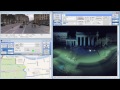
NAVTEQ True is actually composed of four unique technologies:
- 360° LIDAR: Rotating lasers capture 1.3 million 3D digital data points every second, which generates a virtual 3D model of the world around the vehicle.
- Position Sensors: GPS and military grade Inertial Measurement Unit (IMU) sensors measure the vehicle’s speed, orientation and even gravitational forces to provide highly precise location references to every point within the virtual 3D model.
- Panoramic Cameras: These cameras layer in a 360° images synchronized to the 3D LIDAR points—giving us the most true to life representation of the world
- High Resolution Multi-View Cameras: High-resolution images give us the opportunity to increase automation so we can more quickly bring advanced location content to more people.
Worldwide, NAVTEQ True technology is gathering an immense amount of data.
Download Nokia City Lens now
- Press the Search button on your Nokia Lumia and then tap Vision
- Scan the barcode
- Tap on the link when it appears on the screen
- Install the application from the Windows Phone Marketplace
For instance, in one single day, we might collect 12 million signage images, two million panoramic images, a trillion LIDAR points, and 65 million million (65,000,000,000,000!) colour pixels. We’re not just taking pictures of the world; we’re creating a new data model of the world.
With this level of high quality data, NAVTEQ True technology is capturing real world dimension, fueling more realistic and interactive experiences. With data collected by NAVTEQ True, you can explore the world more easily and in a whole new way – you can instantly see all the best places to eat and things to do and see it right on your phone’s camera display. It’s like having x-ray vision, revealing the hidden spots you might otherwise miss.
You can experience an implementation example of the collected data in 3D with Nokia City Lens for Nokia Lumia. Simply by following the instructions on the right.


Tags: None
paź
26
Maybe inspired by Paul and Loki’s Lumia moments which they shared on Monday, maybe inspired by the Autumn weather, but there have been plenty of #MyLumiaMoments pics over the last couple of days.
The first Lumia Moments come from Frankie Bloise, who has been out and about with his Nokia Lumia 800 snapping pics like this for his Lumia Diaries:

He also shared another pic, that I have cropped somewhat (hope he doesn’t mind  – full version)

More Lumia Moments are flooding in *as I type*, so here’s one from Jey Si of a rare flowering in the back yard:

And a final pic from Elayne that I think is great (I have a liking for this type of photo):

So now it’s time to share your own Lumia Moments. The best will get themselves a trial of a phone (different to the one they took the pic on, of course) – so get snapping. Send them to us on Twitter (using #MyLumiaMoments) or as a comment on this post.

Tags: None
paź
25
Wprowadzając promocję FORMUŁA 4.0 w Play na kartę informowaliśmy Was, że od 24 paździenika zmieni się sposób aktywacji promocji Aby włączyć Formułę 4.0 na kartę należy: wpisać i zatwierdzić na klawiaturze telefonu kod *111*333*1# sprawdzić kodem *111*333*3# czy promocja jest już aktywna jeżeli promocja jest aktywna, doładować konto dowolną kwotą z tabeli poniżej. Ilość darmowych [...]
Tags: None
paź
25
Od dzisiaj obniżyliśmy półkę cenową, niedawno wprowadzonego zestawu – Laptop HP650 z modemem Huawei E3131 i Pakietem Microsoft Office 2010. Klienci, którzy kupią aktywację w eShop, będą mogli nabyć zestaw w taryfach: Dla Abonentów: Play Online PRO 109,90 na 24 miesiące Play Online PRO 79,90 na 36 miesięcy Oraz dla nowych Klientów: Play Online PRO [...]
Tags: None
paź
25
Patrick Hamilton Walsh is on what looks like the adventure of a lifetime. The latest leg saw him diving under the ocean with his Nokia Lumia 800 and a Nokia N8. This is his story of what happened when he took a dive.

Some say that the oceans of this world are where the most beautiful wonders are to be found and the deep waters of the less developed regions on this planet are truly the great unknown. Therefore, in keeping with my ‘Nothing but a Nokia’ firsts, I decided that venturing into these waters would provide me with an ideal situation in which to test my newly acquired Nokia Lumia 800.
The words DIY and submarine in the one sentence would be enough to scare most people away, but for me this was the perfect opportunity to finally make a dream come true. Constructed by Karl (Ed: who ziplines from his house to the dock. That’s the life!) using three different sized spheres, the sub has been close to 900 metres deep whilst out on private adventures, but today we would go to only 350 metres under.

I pulled the Nokia Lumia 800 out of my pocket and, despite this being the maiden voyage of this still new phone, I was able to show Karl how the cameras in the new range of Nokia phones have developed since the days of the N8. He was impressed by the smooth operating functions and apps that the Nokia Lumia possessed.
Within a few minutes, we were bobbing around atop the Bonacca Ridge on the edge of the second longest reef in the world. The adventure that lay ahead would take us into the deep ocean to illuminate places that have never known any light – places human eyes have never seen. Places no Nokia had ever been.

It was incredible to experience the blue ocean of the surface fade to black as we descended deeper into the water and away from the light. The deeper we went the darker it got. As we submerged, the bright blue sky slowly faded to a navy as we plummeted down through the water until the blue was all gone, replaced by black. From that moment on, it would be all black everything.
The imperfect light conditions failed to prevent me from taking photos and video, as Karl, using a laser, pointed out unfamiliar variations of sea life as they swam across our path. The steeply sloped ocean bottom reminded me of what I imagine the surface of the moon to look like, as fine, pale silt puffed up each time a small rock would fall down the cliff side.

Karl is a guy that pretty much taught himself what he needed to know about submarines, before going off and building one, single-handedly, in his own backyard from some spheres and an old car, then this gives me the feeling that I was in the presence of someone pretty special. The fact that I had both Nokia devices along to document the experience for future reference, so I could share it with you guys, just made it all the better.
The next stop on the ‘Nothing but a Nokia’ tour of the world will be Bratislava, Slovakia before heading into Vienna, Austria. Please feel free to contribute to this next leg of my adventures on our facebook group ‘is: Nothing but a Nokia’ and ‘The Phoneographer’. Alternatively, you can follow me on twitter. If there are any parts of this world that you wish to see captured and explored using ‘Nothing but a Nokia’ then please let me know and I will do my best to make it happen.

Category: NOKIA EUROPA | Leave a Comment
Tags: None
paź
25

If you love making every day an adventure then a Lumia is the perfect companion. But what about the perfect cities to have those adventures? Well, when it comes to amazing sights, sounds, people, places and sheer creative buzz, you’d be hard pressed to beat Istanbul.
It’s one of the most magical, historical places on earth
Once upon a time this was Byzantium. Markets. Fishermen. A myriad of people trading in the only city in the world that lies in two continents – Asia and Europe. Close your eyes and imagine Persians storming in to take the city in 512 BC. Or Roman soldiers marching through the streets by 79AD. A place later destroyed and lovingly rebuilt.
A true phoenix city, reinvented as Augusta Antonina, Constantinopolis, Constantinople. It would to fall again to the Ottomans. It only became Istanbul in 1930.
Women ruled here once, okay?
In the mood for a sixteenth century bathhouse? (hamam) Go to Çemberlitaş Hamamı. This one is really special – a hamam commissioned by Nurbanu Sultan, the most-loved concubine (then wife) of Selim II (who would later drown, drunk, in his own bath.) She ran the palace in ‘The Rule of Women’ – while men enjoyed the joys of the harem and wine.

Designed by the architect Sinan at the height of his fame, imagine an overhead dome fitted with ‘elephant eyes’ that catch the light from all angles.
It’s a musical melting pot
East truly meets west here and music is a joy. In Taksim Square in Beyoglu there are people of all ages on the streets with musical instruments – young girls with violins, old men with accordions. If you don’t want to go to a nightclub, there are a wealth of clubs and Turkish taverns (meyhane.)

All types of music here – foot-tapping fasil (gypsy) or Kurdish jazz. Or experience live music at Hayal Kahvesi or experimental performers at Peyote. Not to mention funk and electronica. Or catch yourself a whirling dervish dancing. It’s all going on.
Dusty and dull just isn’t an option
Think you are immune to cathedrals? It’s all stone and statues, surely? Not Hagia Sophia. Dating from the 6th century, The Imperial Gallery was where the Empress and the women around her looked down on the masses.

There is a fairytale quality to the place. Marble and mosaic throughout. A fountain in front, turrets like space age rockets. Where else in the world can you see mosaics of the Virgin Mary and Arabic calligraphy? James Bond came here for a guided tour in From Russia with Love and will return in this year’s Skyfall. If it’s good enough for Bond….
The bazaar is not to be sniffed at
Istanbul is a treat for the ears and the eyes, but the nose is never neglected. The Spice Bazaar (Mısır Çarşısı) at the end of Galata Bridge will entice you but you will be lucky if you are able to see it all in a single day. Anticipate nearly 100 stalls overflowing with cinnamon bark, whole rose buds, caviar, saffron, candies and cardomoms – to name only a few.

The whole pace is a riot of colour and aroma. You will be offered Turkish delight and charmed by stories from people selling love tea who will tell you that if you make it for someone, they will fall in love with you.
But whatever magic happens, you will fall in love with Istanbul…
Image credit: David Spender + Julian Stallabrass + Martin Terber + Kimtaro

Tags: None
paź
25

As well as fast Internet, social networking and games, another of the key experiences on the Nokia Asha Touch range of smartphones is that you can also use Nokia’s wonderful location tools.
Staying true to Nokia Asha’s spirit of being innovative, data efficient and cost effective, your local map is pre-installed on the memory card that came with your device. With the maps information stored on this card you can search for places, plan routes and get your current position with minimal data required.
However, it is also very easy to download more free maps to your phone via Nokia Suite.
As I am shortly going on holiday to Hong Kong and the Philippines, I installed some extra maps to my Nokia Asha 311 and gave Nokia Maps and Nokia Nearby a brief test run.
Installing Maps

Nokia Suite is the gateway for syncing contacts, photos and music between your computer and your phone. You can also download apps, games and it is here that you can install the free maps as well.
Open Nokia Suite on your computer and connect your phone with the USB cable – you may have to select ‘USB Mode: Nokia Suite’ on your phone’s display.
On the computer, click on the green Maps icon along the top (it looks like a compass) and you will see a list of all the different maps that are available for you to download. You can see here just how many countries are supported by Nokia Maps!
They are sorted alphabetically by country, but you can also filter it by continent if you wish. Find the country or countries that you need and then just press the download button. Once the file has been downloaded it will be synced automatically to your Nokia Asha.
All the maps are free and you can download as many as you need but keep in mind that they are large files. A good tip is that you can also use Nokia Suite to delete maps that you may no longer need, for instance once you’ve returned from a holiday.
To delete a map, select ‘Maps and voice guidance’ on the bottom half of Nokia Suite where it says ‘On Phone Nokia 311’ or whichever model you have. Highlighting this will show you all the maps that are currently installed on your phone. Just press delete to remove the ones you don’t need.
Using Maps
With the maps installed you are now ready to use Nokia Maps and there are several key functions you will probably use the most. Icons along the bottom of the display provide you with easy and quick access to:

Map: This always brings you back to the main Maps Screen. You can zoom in and out, and swipe to pan around the map to your heart’s content.
Search: Use this to find addresses or places of Interest. Once the position has been found, it will be pinned on the map and you can press the flag above it for more options. You will then be given further options to plan a route, save it as a favourite or send the location via SMS to a friend.
Directions: This is the route planner. Select your starting location – you will see that you have a choice of inputting a location manually in the text box, using your current location, a favourite location that you have previously saved, a recent location or choosing a spot on the map itself. Do the same to select your destination.
Once your starting point and destination have been selected, you will see a ‘walking figure’ icon appear on the display. Tapping on this icon will start the route planning – you will see the distance between the two points, turn-by-turn directions and the estimated time it will take to get there.
In the bottom left corner you will see back and forward arrow icons. You can use these to guide you along the journey. Each step gives clear instructions on where you are and far you need to walk before the next stage of the journey.
Your most recent routes are saved within the Directions screen for quick access.
Nokia Nearby

Another of the extra icons within Nokia Maps is Nearby, which will show you places of interest in your area, such as restaurants, shops or post offices.
Nokia Nearby is neatly integrated with Nokia Maps but it is now a standalone web app as well so it is worth considering in more detail.
Upon opening the Nokia Nearby app it will automatically find your current position show you some tiles of quick search options, such as ATMs, Shopping or Eat and Drink.
Tapping on any of these will launch a search for you. You can also search manually or by what you have looked for in the past, in Recents. The ‘More’ tile gives you further categories to search for.
When the search results are returned, you will a list of all the places of interest it found for that category. Select any of the results to see more detailed information:
- The address
- Phone number with the option to call them
- Save it to your favourites
- See the location on the map
- Share the location on Facebook
- Ratings and other recommended places nearby
With Nokia Nearby, you can use Nokia’s location tools to not just find a route from A to B, but also help you discover new places along the way as well.
Let us know how you have been getting on with Nokia Maps and Nokia Nearby on your Asha devices.

Tags: None


