sty
22

Text-based video games were all the rage during the 70s, 80s, and early 90s, partly due to low processing power on people’s PCs. Despite processing power increasing dramatically, there are still people out there creating these games, as there’s something quite charming about them. One such game, Wizard’s Choice, is available on your Nokia Lumia.
There are probably a lot of you out there who have never played a text-based game before, and instead rely on visual graphics to stimulate your senses. Text-based games ignite the brain in different ways and force your mind to conjure up your own images using nothing but good old-fashioned imagination – much like reading a book. This provides a different gaming-experience to each and every person who plays it.
“An arrow whistles past your head. You look back and see at least four sets of glowing eyes.”
“What do you do?”
Wizard’s Choice is full to the brim of such questions, and it’s up to you to answer correctly or the nasties in the game will soon ‘end’ you and you’ll need to start all over again.
As the title suggests, you are a Wizard and you’re on a quest to rid the world of evil and collect treasure along the way. I’m sure there’s a fair maiden that needs rescuing thrown in for good measure, too.


The story begins in a forest as night begins to fall. Woods can be a frightening place, especially with orcs tailing your every move – it’s the stench and glowing eyes that give them away. How best to deal with such malodorous beasts? Stay and fight, run and hide, or leg it? All are viable options.
However, whatever decision you make will have consequences for the rest of the game. If you make the wrong decision, you may feel the sharp, burning head of an enemy arrow, losing some of your precious health points.
If you opt to use your magic to escape a situation, your manna points will be reduced, and a wizard with no manna is almost as useless as a warrior without a sword.
Use your skills wisely, and sensibly.
Throughout your journey are moments to earn morale for your fighting party and even the opportunity to earn some money. Orc ears make a tidy profit on the black-market, apparently.
The storyline is descriptive and often funny. Both of which is perfect material for allowing your own mind to create the scene. Having said that, there is the odd scattering of illustrations to help you visualise this mysterious world.


As for the gameplay, it doesn’t get much easier. Once you’ve read the story on each page, your only task is to select what to do next and press the relevant button.
Don’t worry about saving your progress, the game autosaves at every step on the way. When you load up the game in future, you’ll be taken to the exact same point you left off.
Wizard’s Choice is gaming from the past, delivered beautifully to open-minded gamers and into the modern world of smartphones.
Available on Nokia Lumia 920, Lumia 820, Lumia 800 and Lumia 900. Download it for free, today. Paid options allow you to avoid the adverts.
Do you remember text-based gaming the first time around? Or are you trying this for the first time? Let us know, below.

Tags: None
sty
22

If you’re a developer – or wannabe developer – on the Windows Phone 8 platform, now is a great time to publish that app to the Windows Phone Store. The Windows Phone Next App Star competition is now open and could see your app making an appearance in an advertisement on prime-time TV in the USA.
While the grand prize is your app featuring on US TV, the competition is open to developers worldwide.
To participate, you must be a registered developer with at least one app in the Windows Phone Store and have published something to at least one country. Your content doesn’t have to be brand new, older apps have as much a chance of winning as new ones.
You’ll also need to ‘opt-in‘, so make sure you login to do that; otherwise you’ll not be entered.
Initially, the Windows Phone team will judge all the app submissions based on an equal weighting of user ratings and app quality, including your implementation of new Windows Phone 8 features, such as Live Tiles. This is to stop people cheating and getting their friends to give 5-star ratings in the hope of being picked.
The best way to ensure you’re apps are chosen is to make the absolute most of what Windows Phone 8 has to offer. Create an app as rich as possible. Create a Live Tile that looks amazing on the Start screen. Utilise SkyDrive so that people can upload or download files. Or, make use of the HERE platform to provide the most accurate location experience possible.
Whatever you decide to use or create, it must run on Windows Phone 8. However, why not have it run on both Windows Phone 7.5 and 8 for extra brownie points?

Once the Windows Phone team have picked the appropriate apps, they’ll then narrow that list down to just 64 to go head-to-head in bracket-style competition. This will then be open to public voting.
Over the following several of weeks, the public will vote, whittling down the entries to 32, 16, 8, 4, 2, and ending with just one winner, taking home the grand prize of the U.S. TV ad slot and the title of the Next App Star.
Additional prizes will be on offer throughout the contest to encourage people to participate. There will be thousands of dollars worth in prizes up for grabs for the developers of the 64 apps; including a Nokia Lumia 920, featured promotion in the Windows Phone Store and a one-year free Dev Center subscription.
Even if you don’t win, the exposure of your apps in the competition itself may still see you gaining new fans and some extra money from new app purchases.
App submission ends on 5th March, and the public voting ends 8th April, 2013. Remember, you’ll need to opt-in to take part – your apps won’t automatically be entered.
Check out the official rules or the Windows Phone Developer Blog for more details.
Will you be taking part?
Image credit: Timsamoff

Tags: None
sty
22

Let’s face it, one of the most frustrating things about a Bluetooth headset has been the fiddling around – pressing buttons to turn it on, turn it off, and power it up. Happily, thanks to a fantastic Nokia technology, that’s all now a thing of the past. Put your hands together for Always Ready.
What exactly is it?
Always Ready is one of those ingenious ideas born from necessity. Although there are approximately six billion mobile phone subscriptions, and 75% of the world’s population has access to a mobile phone, a paltry 4% use wireless headsets. This wasn’t always the case. When Bluetooth headsets were first launched, at the start of the noughties, they were a huge success. 40 million were sold in the first four years.
Then, despite ever improving features, they got a reputation for being complicated techie toys. Add to that the fact that people thought wearing headsets both looked silly and felt uncomfortable, and you can see why their popularity dwindled despite the many benefits.

The challenge for headset designers, then, has been threefold over the last few years. Make a headset that look less robotic and more human. Make a headset that feels more comfortable. And make a headset that’s incredibly simple to use. Always Ready was developed with the last two issues in mind.
How does it work?
Always Ready is simplicity redefined. With a headset that uses Always Ready technology when you receive a call, all you have to do is take the headset from its holder and put it in your ear. The headset automatically connects to your phone and answers the call. Once you’ve finished, you just take it out of your ear and put it back in the clip. The headset will end the call, disconnect and power off. It really does work like magic.

What are the other benefits?
Comfort and design have come a long way since the early days of Terminator-like headsets, but people are still loath to walk around with a headset permanently in ear. Always Ready means you only have to wear your headset when you’re using it. This produces another no less important benefit, massively improved energy efficiency. Because Always Ready headsets only use power when they’re taken out of their holders, they can have both impressive talk times and amazing standby times. The Nokia J, for example, will give you 5 hours of talk time from a single charge and three months of standby time.
Which headsets use it?
If Always Ready has you rethinking headsets, you’ll probably want to know which one to choose for yourself. Well, more and more headsets are being launched all the time, but these are the current contenders for your attention.
The Nokia J
The Nokia J is famed for its effortless call handling and superior sound quality. What’s more, it looks amazing, too, which is probably why it’s won a couple of the world’s most prestigious design awards, IF and Red Dot.

Nokia Luna
Daringly different, yet surprisingly simple, the Nokia Luna is possibly one of the most eye catching Bluetooth headsets ever. With NFC, 8 hours of talk time and 2 months standby time, it’s pretty practical as well.

Nokia BH-310
If you spend lots of time in the car, you’ll know how important it is to have a Bluetooth headset both for safety and for convenience. Simple, safe and comfortable, the Nokia BH-310 has been especially designed for drivers like you.

Always Ready has changed the way people use Bluetooth headsets forever. Does it make you more likely to invest in one? Let us know in the comments below.

Tags: None
sty
22
This series of posts is creating quite a lot of peer pressure among the team, and I have to confess that I feel not a small amount of inferiority over the plain and simple choices on my Start screen.

Which apps have you prioritised?
It’s the basics really. Phone calls, texts and emails. Being English, I’ve also prioritised a weather forecast app – the latest version of Weather Flow, in this case. The latest version lets you also put weather on the Lock screen, but you can never have too much weather information in England.
What apps do you use to pass the time?
I’m a news junkie, so my RSS reader and the BBC news app are always pinned to my home screen, along with Zite, which offers a less predictable but 100 per cent interesting selection of recent news and features around my interests. I also have a few e-books loaded up on Nokia Reading for longer journeys.

What’s the last app you paid for?
‘Speak Italian’ – it’s a fun, talking phrase book app that I bought at the airport before a recent holiday. It’s not made me bilingual, but it was a good reminder of some of the basics.

Which app is your guilty pleasure?
I have to admit a weakness for the ‘choose your own adventure’ game, Wizard’s Choice. It’s like going back to the ‘Fighting Fantasy’ books of my teenage years.
Ian Delaney is the editor of Nokia Conversations.

Tags: None
sty
22

When I was at university my life mainly revolved around sleeping, watching TV and waiting in line for the microwave to heat up some sausage rolls.
Thankfully, today’s student population seems to have rather more enterprise and a stronger work ethic.
For example, take Rob Crocombe, 19, who is in the second year of a Computer Science degree at Hull University in England. When he is not studying he is also trying to establish himself as an app developer.
While he’s created a brilliant Windows Phone app called Flashdeck, Rob has also had another app rejected by Microsoft. So it’s not all been plain sailing.
Rob spoke to Conversations about being a Windows Phone developer, getting your app through the certification process and what he has learnt from his experiences.
When did your interest in developing apps begin?
Before university I was already quite intent on developing games. A lecturer at university was very keen on Windows Phone development and introduced us to XNA and Silverlight.
I love the modern user interface of Windows and Microsoft makes their student developers feel very welcome.
What was your first real app?
I made a Windows Phone 7 app for a video game deals website called ‘Cheap Ass Gamer’ in June of last year. It featured an audio player for the site’s podcast ‘CAGcast’ and Twitter feeds of the show’s three presenters. I just finished a Windows 8 version, which has big improvements to the code side of the app.
What do you like best about developing for Windows Phone?
The development tools that are available for Windows Phone are great, it doesn’t feel like you’re fighting to get your code working like with some other platforms and programming languages.
I like how Windows Phones have the same basic specifications; you know your app will run on all makes and models of Windows Phone so you can just focus on the user experience.
How excited are you about Windows Phone 8?
Very. WP8 phones are more powerful than WP7; this is great for both users and developers. I love the new Start screen too; I’m looking forward to customising it with the different tile sizes.
I think Flashdeck is a great app. What inspired you to create that?

Thanks! I was looking for a summer project to work on last year. It was just after the exams and I thought I’d make a flashcard app.
I had used real flashcards for my A-Levels and they really helped.
I did some research and found the current range of flashcard apps on the Store weren’t very good. I wanted to create an app that had lots of features and looked great in the Metro style.
You recently had an app turned down for the Windows Phone Store? Tell us about that app and why it was turned down.
That was the Cheap Ass Gamer WP8 app I talked about. It failed certification because I had a link to my other Windows and Windows Phone apps in the Store. Microsoft doesn’t allow this because it’s advertising, even if it’s for their own platform.
I’ve learned it’s a good idea to read the certification requirements more thoroughly; they differ for every platform.

What advice would you give to other people hoping to start developing apps for Windows Phone?
There are some fantastic resources available on the Internet to help you get started.
If you are a university student, Microsoft have a website called DreamSpark where you can download a lot of their paid development software for free.
I would recommend having previous knowledge of the programming languages before you start. If you’re planning on using C#, try making a WPF program before starting Windows Phone, they are very similar.
What can you tell us about what you are currently working?
I’m in the early stages of developing a Windows 8 app that uses Adobe Kuler. I think it will be the first Kuler app in the Store. It will hopefully allow the user to view the latest and greatest community created colour schemes from Kuler and make their own.
I also eventually want to update my Windows Phone 7 apps to take advantage of Windows Phone 8, especially the new screen sizes. I’m not sure when I’ll have the time to do this though.
Visit Rob’s blog RobCrocombe.com to stay updated.

Tags: None
sty
22

So far, I’ve made $457 just by doing surveys 


Tags: None
sty
21
Yes i know to most of you out there this information about the iPad using a MicroSIM is not new to you, but for most of you in the Middle-East hungry for an iPad in your hands; HOLD YOUR HORSES!!! Let me first say that 100% of all GSM operators in the world use the default SIM size. Now good old Steve has given a nudge to the telecom operators around the world.
Apple’s big reveal of 2010 was the glorious iPad, some have given their critical analysis of the device. I say the device will pick up like any Apple device in the market. Now the jolt that the mobile industry got was that the iPad uses a MicroSIM enable it to use 3G. Apple’s tie or (love/hate) relationship with AT&T gave it a heads up on orders of MicroSIMS to deliver its service to its customers in the US.
So what is the (MicroSIM) : The 3FF SIM card, or the micro SIM, is 52% smaller than a regular SIM card so instead of a 15 x 25mm card you get a 12 x 15mm one. It’s still a GSM SIM so it will work in most markets. Now I believe Apple’s attempt to lock the SIM during the iPhone launch days blew up in their face.
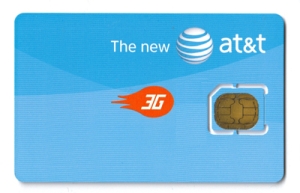
Last, This MicroSIM isn’t an industry stopper is it. Well no, most operators are going to offer a this MicroSIM as a bundle package with the iPad. I say why bother, request a twin SIM from your local operator, shave the new SIM with plastic or acrylic filer and your good to go. Haven’t tested it myself, I will surely let you know if it works as soon as my iPad lands.


Tags: None
sty
21

The sense of freedom, the sense of mobility, the outstanding feeling of knowing you left nothing behind. The Nokia Booklet 3G, where do I start? , but first let me make a statement. The Nokia Booklet 3G is a ‘Netbook’ and not a laptop so treat it as such.
Design, Size, Weight, Screen are flawless. I couldn’t say anything else, because I was surely impressed on how much Nokia put thought into this device. Speed for me is just fine; some have complained about its RAM and processor, frankly I would tell them they have no idea about computer mechanics. There is something they haven’t noticed and people like me would pay top dollars for. That is the NO FAN option, finally can sit in bed and not disturb anyone with the whizzing sound of the cooling fan. Plus what more can you ask from a netbook, use it as it was design and supposed to be used so just plug in a 2GB Flash drive and use it as a ReadyBoost or have you totally forgot about that?. Coming back to the essential elements of this device, using the 3G gave me the ability to sit where and when ever I want. No Dongles, Bluetooth, or Cable connections required. Power on and connect, simply amazing feeling you’ve got knowing you can get what you want in no time. The Nokia Booklet 3G is such a good device that I know use it as my own corporate computer device. Called in IT and asked them to remove my bulky laptop back it up on the local network so I could access it on my booklet. My desk is so clean right now it’s not even funny. I put this device to the ultimate test on the first day of work, dropped my notebook pens and every manual item you can possibly take to a meeting. Fired up OneNote, held a 3 hour meeting took all the notes I needed on my Booklet, attached pictures from my N900 and I was the first one out of the door. Didn’t have to gather all my papers, put together my laptop disconnect my charger, and wind up all sorts of wires. The best part I even leave quicker, All I’ve got is my Booklet and I’m out, charger is at home.
Last but not least, and I know most of you want to hear some partially negative things about this device and I don’t blame you. Nothing is perfect, and yes for some the Nokia Booklet is not the perfect device. But I can highlight some things that can be on the list of improvements for the RX-80 probably. First I would love a touch screen integration, which would make things a lot faster for me. The keyboard keys to be backlit, would make a big difference in low light environments. The ‘Ctrl’ key to be on the very left instead of the ‘fn’ key. More Nokia related software built-in, to control the connectivity. Would love a remote viewer built-in so I could make calls with my device but talk and hear it through my booklet or my BH-504 connected to my booklet. Why bother all your customers with the SIM lock by AT&T, It’s very easy to crack save us the hassle and include a Nokia UI for the SIM connectivity.
Final review thought, if you’re looking for being connected ‘Full Internet As It Happens’ the Nokia Booklet 3G is the device for you. If you’re a laptop speed oriented and has 16 million applications and programs the Nokia Booklet 3G won’t do for you. If you’re a on the move business person, looking for agility and essential connectivity, the Nokia Booklet 3G serves every single part of that.

Nokia Booklet 3G


Tags: None
sty
20
Zapraszamy Was do salonów Play po nowego Experta  Jeśli nie macie ochoty na zimowe spacery, to jak zwykle magazyn dostępny jest również na stronie www.expertplay.pl

Tags: None
sty
20
Jak zapewne się domyślacie wprowadzenie nowej platformy abonamentowej to bardzo skomplikowany proces, Skomplikowany dodatkowo przez wchodzące właśnie nowe prawo telekomunikacyjne. Tłumaczy się zwykle winny i tak jest w istocie. To ja trochę namieszałem i postaram się tym wpisem rozwiać Wasze wszelkie wątpliwości. Śledztwo jednego z portali wykryło w prezentacji prasowej pewne nieścisłości. 1. Rzeczywiście wpisałem [...]
Tags: None


